
4X1 HDMI/USB-C 4K60 Huddle Room Switch
Introduction
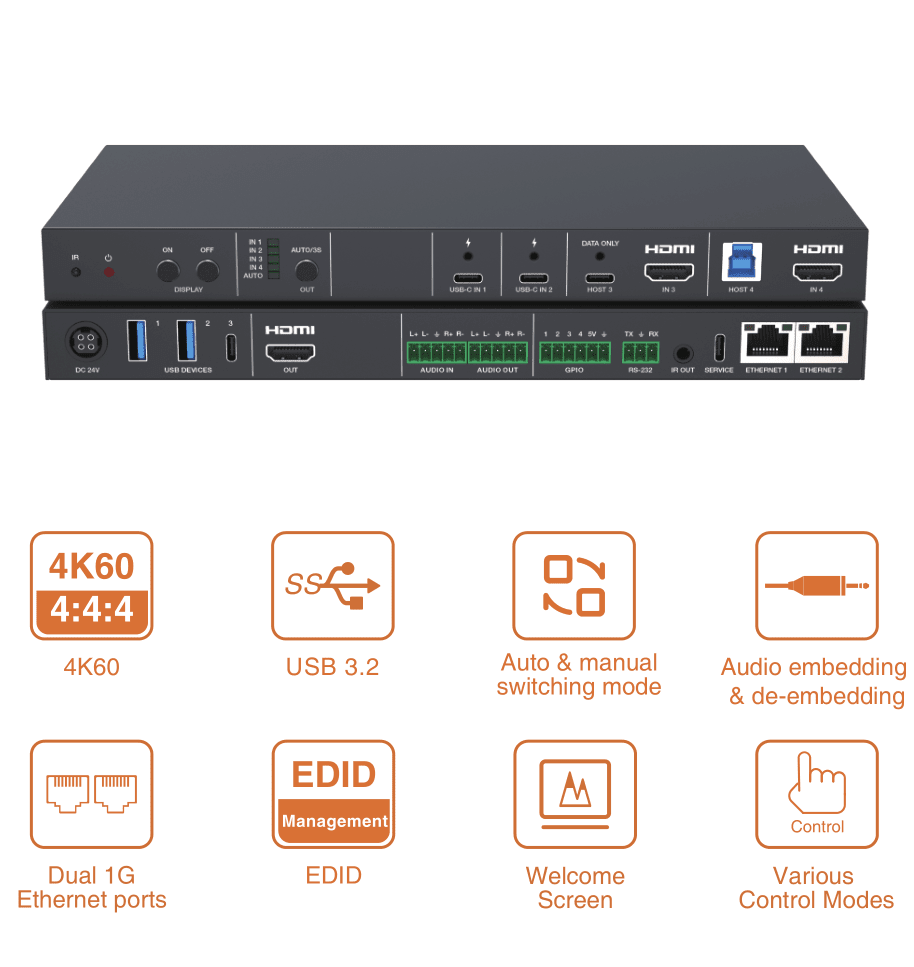
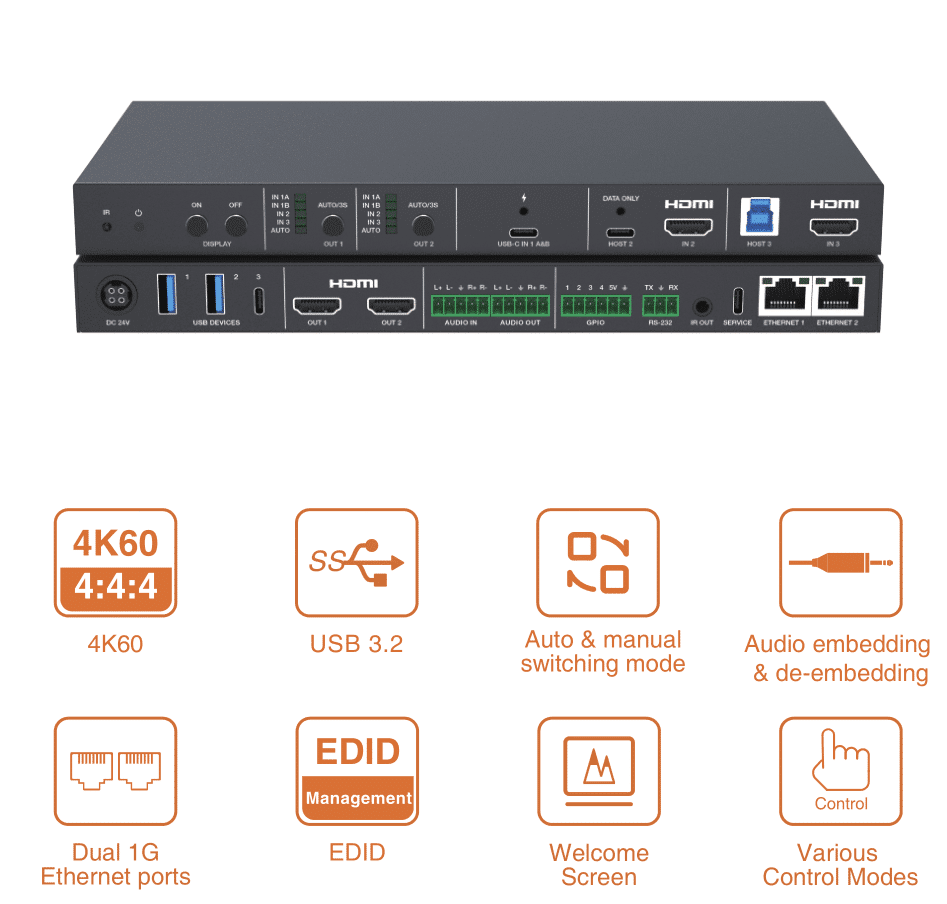
This is a 4×2 Huddle Room Switcher with multiple control methods, designed with two HDMI™ and two USB-C inputs, two HDMI™ output,
one USB-C host, one USB-B host, one USB-C device, two USB-A devices, dual 1G Ethernet ports. Video resolution is up to 4K@60Hz 4:4:4, delivering high-quality visuals for presentations and displays. Audio embedding and de-embedding on a balanced analog audio interface, ensuring clear and synchronized audio record and playback.
The product also supports USB KVM, RS-232, GPIO, IR and Ethernet switching functions, as well as auto and manual switching, auto signal detection and wake up the whole system including external devices. It can be controlled via front panel button, RS-232, TCP/IP and Web GUI.
It features multiple interfaces for the easy connection between the BYOD devices and the meeting room devices, providing versatility and enhanced connectivity for presentation environments. It is designed to meet the demands of modern huddle room setups, providing a user- friendly and feature-rich solution for enhanced connectivity and control.
Highlight Features:
☆ HDCP 2.3 and DP 1.4a compliant
☆ 4×2 huddle room switcher with USB-C/HDMI™ input and HDMI™ output
☆ USB-C input with DP Alt mode up to 4K60Hz 4:4:4, USB 3.2 Gen 1 (5Gbps), 1G ethernet and 100W charging (50W of each port)
☆ HDMI™ input up to 4K60Hz 4:4:4, as specifi ed in HDMI™ 2.0b
☆ Fast switching including auto and manual switching modes
☆ Auto switching with signal detection and 5V detection
☆ USB 3.2 Gen 1 (5Gbps) host and local hub
☆ USB 3.2 Gen 1 (5Gbps) device with 5V/1.5A power output
☆ Support balanced/un-balanced analog audio embedding to USB or HDMI™ audio
☆ Support balanced/un-balanced analog audio de-embedding from USB or HDMI™ audio
☆ Advanced EDID management
☆ User defi ned welcome screen and no signal display image
☆ Dual 1G Ethernet ports with 802.1x and VLAN
☆ IR eye for IR learning and control
☆ Auto display on/off control
☆ External device control via CEC/IR/RS-232/LAN/GPIO
☆ Control via front panel buttons, RS-232, TCP/IP and Web GUI control
Packing list
① 1× 4×2 HDMI™ and USB-C Huddle Room Switcher
② 1× 24V/7.5A Power Supply
③ 1× IR Blaster Cable (1.5m)
④ 1× 3pin-3.5mm Phoenix Connector (male)
⑤ 2× 5pin-3.5mm Phoenix Connector (male)
⑥ 1× 6pin-3.5mm Phoenix Connector (male)
⑦ 4× Rubber Foot
⑧ 2× Mounting Ear
⑨ 4× Machine Screw (M3*5, for rubber foots)
⑩ 4× Machine Screw (KM3*6, for mounting ears)
⑪ 1× User Manual
Specification


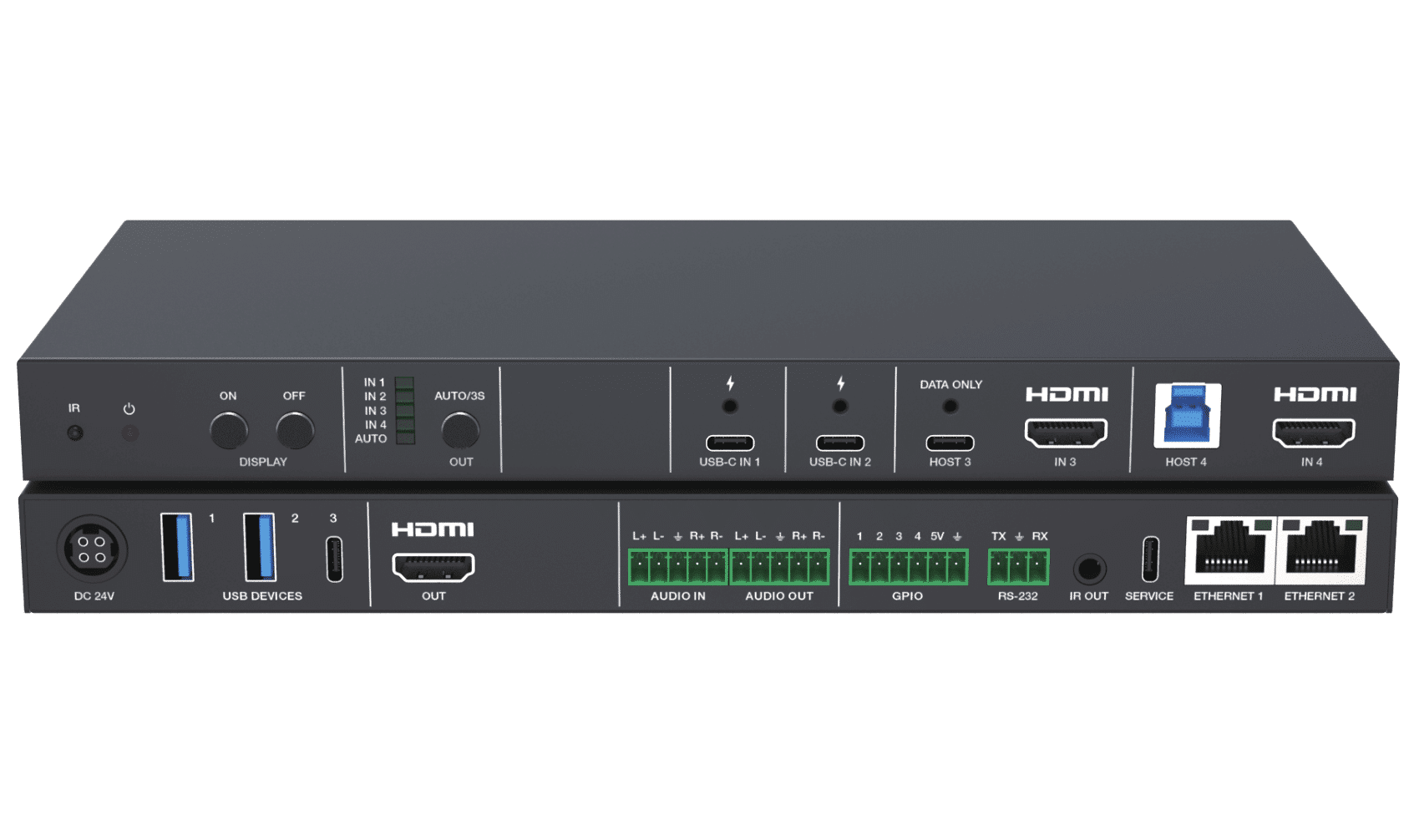
Front Interface

Rear panel


Note: ETHERNET ports support two modes, you can set it via API command and Web GUI page.
Separated Mode (Default): ETHERNET 1 is used for TCP/IP/Web GUI;
ETHERNET 2 is used for 1G Ethernet only.
Switch Mode: ETHERNET 1 and ETHERNET 2 are both used for TCP/IP/ Web GUI and 1G Ethernet access
WebGUI interface
This product can be controlled by Web GUI. The operation method is shown as below:
For the details of API control, please refer to “8. API Commands”.
Step 1: Get the current IP Address.
The default IP address is 192.168.0.100. You can get the current IP address via API command. Send the command “get ip addr” through an ASCII Command tool, and then you’ll get the current IP address (The IP address is variable, depending on what the specifi c device returns).
Step 2: Connect the ETHERNET port of the product to a PC, and set the IP address of the PC to be in the same network segment
with the product.
For example, if its IP address is 192.168.62.106, the IP address of PC must be set to 192.168.62.xxx; if its IP address is 192.168.0.100, the IP address of PC must be set to 192.168.0.xxx.
Step 3: Enter the IP address of the product into your browser on the PC. After entering the Web GUI page, there will be a Login page.Below is the WebGUI interface for your reference. More user manual detaiels, please contact us 1@sz-sinowell.com,Whatsapp+86 13728685427


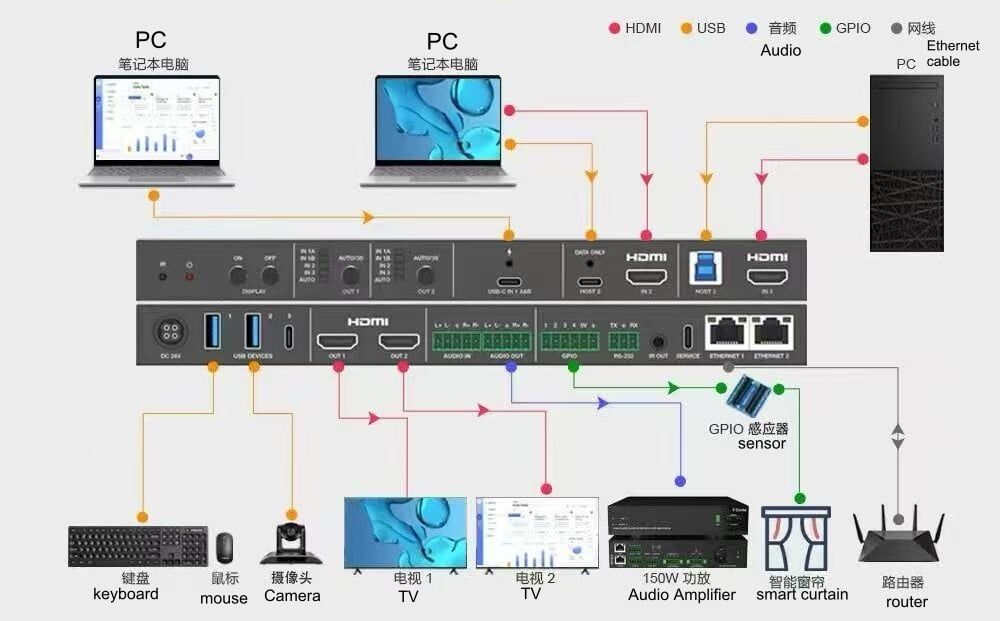
Connection diagram

4X2 HDMI/USB-C 4K60 Huddle Room Switch

Features:
USB-C with DP Alt mode up to 4K60Hz 4:4:4 (DP 1.4a, HDCP 2.3), USB 3.2 Gen 1 5Gbps, 1G ethernet and 100W charging
HDMI up to 4K60Hz 4:4:4 (HDMI 2.0b, HDCP 2.3)
Auto and manual switching mode
Auto switch supports signal and 5V detection
USB 3.2 Gen 1 5Gbps host and local hub
USB 3.2 Gen 1 5Gbps device with 5V/1.5A power out
Balanced/un-balanced analog audio input to USB audio
Balanced/un-balanced analog audio breakout from HDMI
EDID management
User defined welcome screen and no signal display image
Dual 1G Ethernet ports
IR eye for IR learning
RS-232, TCP/IP and Web GUI control
Auto display on/off control
External device control through CEC/IR/RS-232/ TCP/GPIO
The 3rd party control system driver included


