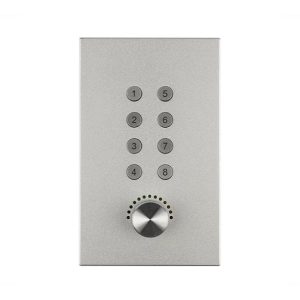
Dante 2 channel Analog Audio with POE,XLR
Introduction
Dante panel Series wall interface machine, which has analog input and Dante digital input, analog line output and Dante digital output, analog input support phantom power supply, and manual front gain adjustment.
This product supports two sets of balanced I/O analog signal access to the Dante system through a local network. With combo XLR input interfaces. Provides the function of the phantom power and the input signal gain adjustment.
The output interface is a standard three-pin XLR socket, with analog signal output balance. The four output versions
can be selected. Please use CAT5 or above to connect the PoE switch.

⚫ For analog signal and Dante signal conversion.
⚫ Support 2 channel analog inputs, 2 channel analog outputs.
⚫ Support 2 channel Dante inputs, 2 channel Dante outputs.
⚫ The input channel has a phantom power switch and a gain manual adjustment knob.
⚫ PoE power supply, 802.3af, 802.3at standard PoE switch.
Suggestion: We recommend that you use the standard type 120 wall box we provide for your installation.
PRODUCT PARAMETERS
| Sampling Rate | 48KHz | Channel Isolation | 100dB @1k Hz |
| Phantom Power | 48V | Common Mode Rejection | 80dB @80 Hz |
| Frequency Response | 20 ~ 20K Hz,±0.5dB | Maximum Line Input | 20dBu |
| THD+N | ≦0.005% @4dBu | Maximum Line Output | 11dBu |
| Input Impedance (Balanced) | 20kΩ | Floor Noise | -90dBu |
| Output Impedance (Balanced) | 100Ω | Operating Power Supply | PoE Power Supply |
APPLICATION SCENARIO
Conference room, multi-function hall, reserved hidden input and output interface.
Questions and Answers
Power indicators light out.
A: Check whether the POE switch is connected to the device.
B: Check whether the network connection line is normal;
The way to check is to use this network cable to connect PC to the switch, whether Link light and data light flicker.
C: Equipment damage, contact INFOBIT to get technical support.
No signal after the microphone is connected.
A: Set the input route through the Dante Controller software.
B: Check the type of the microphone, if it is a capacitive microphone, please open the illusion power switch.
C: Improve the gain of the preamplifier circuit.
No XLR output signal?
A: Check if the audio route has been sent to the corresponding channel through the Dante Controller software.
B: Check the normal work of the power amplifier and the horn.