
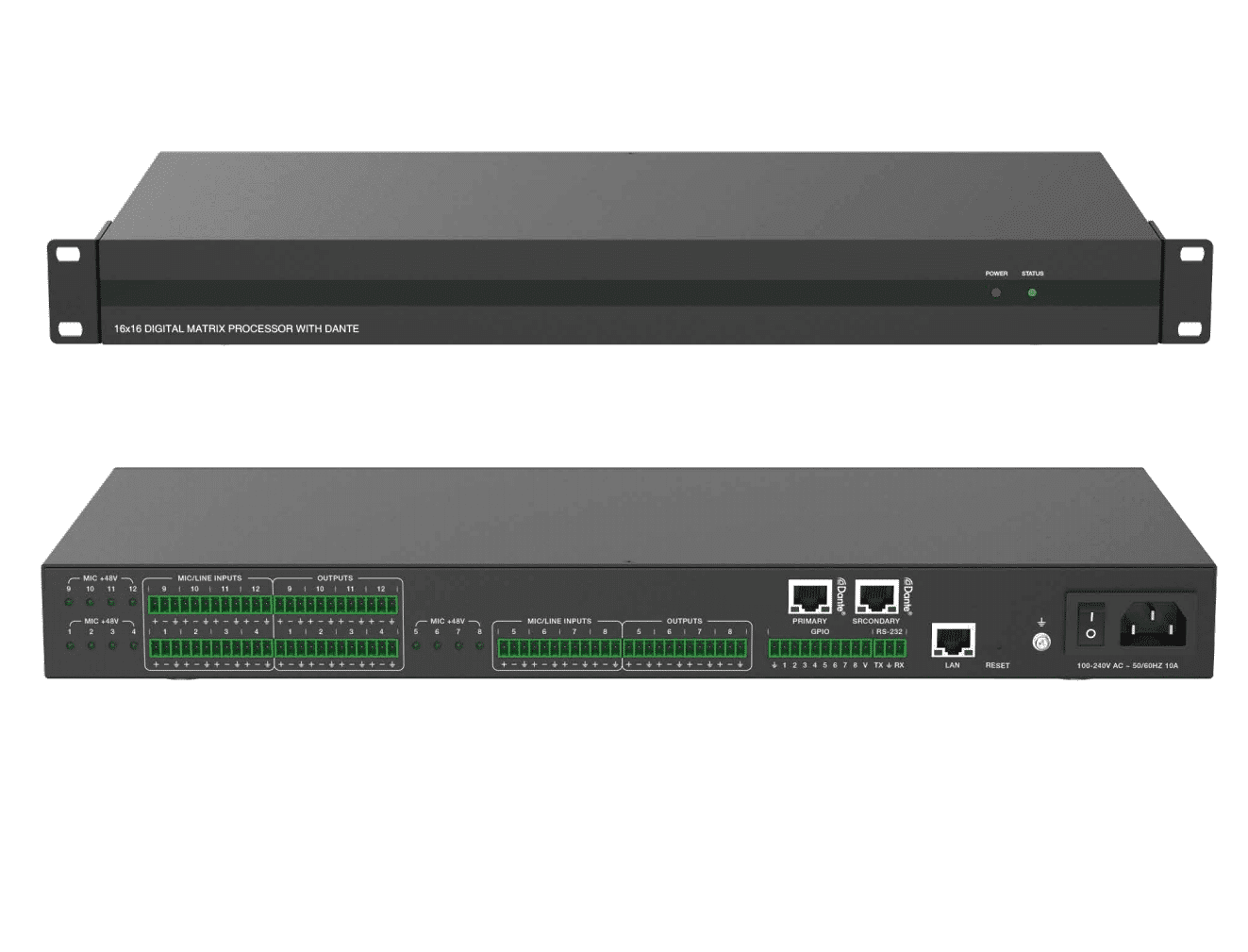
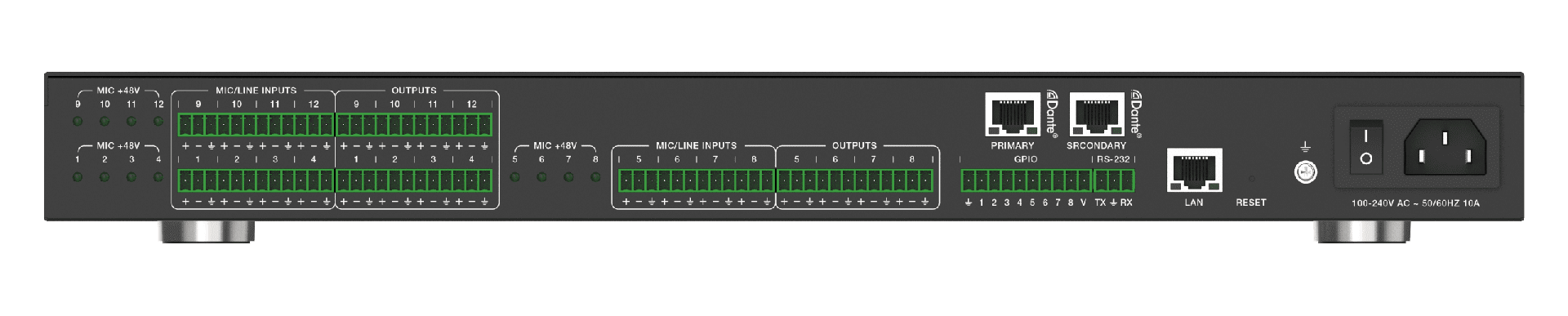

Digital audio processor 16×16 with Dante
Introduction
This digital audio processor is typically used for video conference, distant learning, and telemedicine. It features 12-ch MIC/linear inputs, and 12-ch linear outputs. Two DANTE ports are also provided to ensure low latency in the audio processor.
The product can process audio signals with algorithms, such as, full-band Adaptive Echo Cancellation (AEC), Adaptive Noise Suppression (ANS), Automatic Gain Control (AGC), and Auto Mixer, to output a clear, clean and resonant sound with high Signal-to-Noise ratio. Concise but intelligent, the processor is designed to be applied in scenarios without additional software assistance for debugging.
It is ready to use after installation, perfect for project implementation and testing. The product can be applied in a diverse range of installations and applications across industries, such as, smart system integration in small-medium sized conference room, instruction recording and distance teaching in education, court trial recording and virtual court trial in judiciary, surgery recording and video consultation in healthcare service, and command center establishment in governmental projects.
Features
☆ Provide 12-ch balanced MIC/linear inputs and 12-ch balanced linear outputs
☆ Provide two standard DANTE network audio interfaces
☆ Support adaptive feedback suppression function
☆ Support the full-band adaptive acoustic echo cancellation technology
☆ Dynamic adaptive noise reduction technology is provided to reduce noise with signal levelup to 18dB
☆ Auto Mixer function is provided to set the order of priority when multiple microphones are input at one time
☆ Inclusive of Digital signal processing modules such as Expander, Equalizer, Compressor, Auto Gain Control, Limiter, High Pass Filter, Low Pass Filter and Delay
☆ Capable to switch matrix routings
☆ Support volume control, meter, scene control, etc.
☆ 48V phantom power supply for 12-ch MIC inputs
☆ 48KHz sampling rate, 24-bit for A/D or D/A conversion
☆ Support 8-ch programmable GPIO function
☆ Compatible to run on Win 7 and Win 10, with standard RJ45 interface control
☆ Support RS-232 serial commands control

Below is the connection suggestion during installation.
Level 1 Troubleshooting Steps:
1. Check Network Connectivity:
– Ensure that the DANTE network and LAN network interfaces are properly connected and configured. Verify network settings such as IP addresses and subnet masks.
– Use network diagnostic tools to confirm connectivity between the processor and any controlling devices.
-Ensure your PC is using the same network scheme as the processor
2. Inspect Power Supply:
– Verify that the processor is receiving adequate power. Check the power adapter, cables, and connections.
3. Review Firmware and Software Versions:
– Ensure that the processor’s firmware is up to date. Check for any available updates or patches from us .
– Verify that the control software on your computer is compatible with the processor’s firmware version.
4. Monitor System Temperature and Ventilation:
– Ensure proper ventilation around the processor. Overheating can cause performance issues.
– Check for any obstructions or dust buildup around cooling vents.
Level 2 Troubleshooting Steps:
5. Test External Connections:
– Validate the connections to external devices such as amplifiers, speakers, or recording equipment.
– Use alternative cables or connectors to rule out potential issues with the existing setup.
6. Inspect Audio Settings:
– Check the configuration of audio processing modules (e.g., Expander, Equalizer, Compressor) within the control software.
– Ensure that no unintended settings (such as extreme EQ adjustments or aggressive compression) are affecting the audio output.
7. Test with Simplified Setup:
– Temporarily simplify the system configuration by bypassing non-essential components (e.g., disabling certain processing modules or routing options) to isolate the issue.
8. Reset to Factory Defaults:
– As a last resort, consider resetting the processor to its factory default settings. Ensure that you have backed up any important configurations beforehand.


