

Introduction
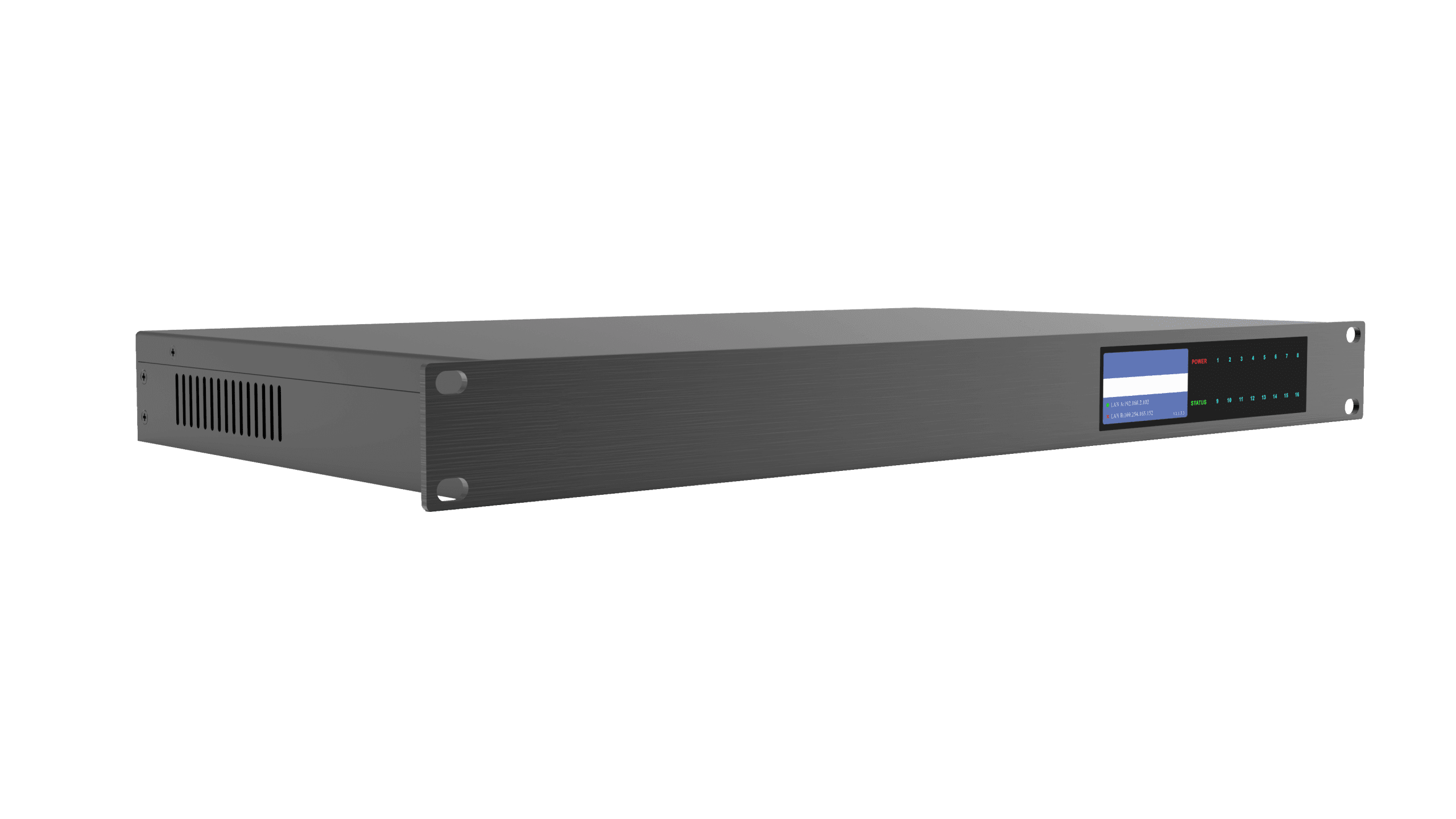
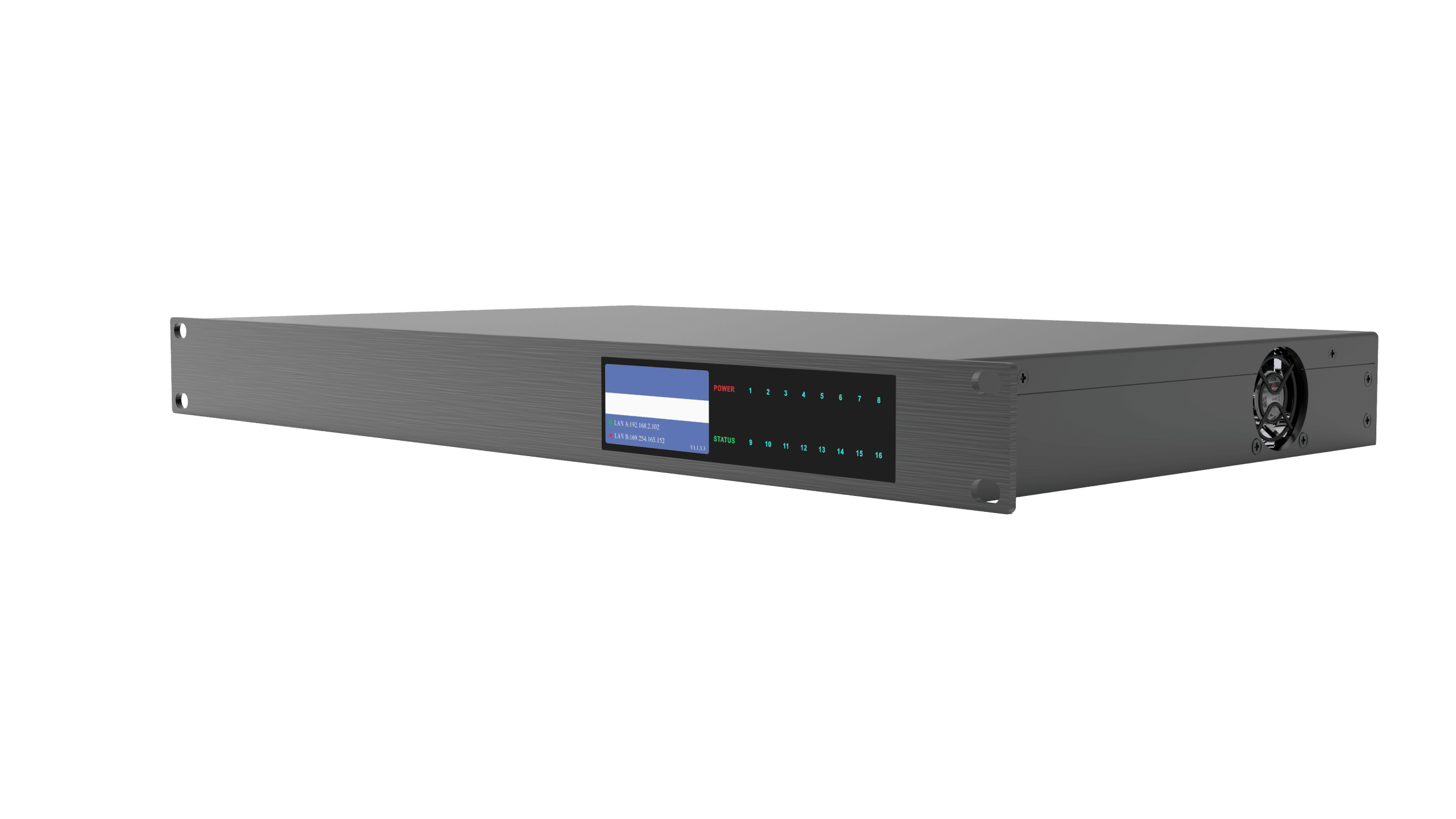
The digital signal processor is a freely designable audio processing and control system product. The front panel comes with a high-definition color screen, which can display the current working status of the equipment. using advanced DSP processing technology, the system provides a variety of audio processing modules to choose from, open software architecture, targeted to solve a variety of practical problems in the application scenarios. 128 network audio channels for network audio transmission provides a high-bandwidth, low-latency, high compatibility and low-cost solutions.
Functions
- Advanced and reliable hardware: Analog Devices high performance DSP Sharc21569 + NXP i.MX ARM processor;
- Supports 64×64 Dante network audio channels (AES67 compatible);
- Open signal flow design, do whatever you want to do;
- Visualized user control interface design, easily meet customer needs;
- Built-in USB Audio Class;
- Support any signal real-time monitoring, debugging is no longer blind;
- Display IP address & device name, no more worries about not finding the device;
- Built-in all the required software, no more lost CD trouble;
- Highly optimized DSP, worry-free processing up to 3400 equalization bands;
- 4 independent feedback elimination, 2 independent echo cancellation;
- Open Websocket protocol control, easy cloud platform integration, support for RS232, UDP center control control;
- Independent dual control network port, easy network backup;
- Dual Gigabit Ethernet ports, network audio transmission can be redundant backup;
- Built-in Parametric Equalizer, Graphic Equalizer, FIR High Pass Filter, Band Pass, Expander, Compressor, Noise Gate, Peak Limiter, Priority Ducker, Multifunctional Mixer, Delay, AEC, AFC and so on;
- Support USB recording and playback function, playback and recording path selectable, recording storage space real-time display;
- Support audio dynamic level real-time feedback;
- Support real-time analysis of signal spectrum of each channel.
Features
- Highly integrated, integrating a variety of traditional Analog audio processing equipment in a Digital Signal Processor;
- High-performance 40-bit floating-point DSP processor, all-digital processing, fast response to AGC (Automatic Gain Control), ANC (Ambient Noise Compensator), AM (Automatic Mixer), AFC (Acoustic Notch Feedback Controller), AEC (Acoustic Echo Canceler), ANS (Automatic Noise Suppressor)and other audio processing;
- Analog input channels and 16 Analog output channels, very small distortion and ultra-low noisefloor;
- Rich interface expansion;
- Supports Dante network transmission, which makes audio transmission more stable and faster;
- Humanization, graphical, intuitive and easy-to-operate control software interface;
- Comprehensive matrix mixing;
- Scene storage is different from the Analog equipment is one of the most practical and significant features, can store many complete scenes, all the scenes can be exported to an external storage device for storage backup, so that the later call at any time.
Specification
| Category | Parameter Item | Parameter Description |
| Input | Analog Input Channels | Mic/Line 16 |
| Dante Input channels | 64 | |
| Input Frequency Response | 20Hz~20KHz@+18dBu, ±0.2dB 50Hz~20KHz@+18dBu, ±0.1dB | |
| Input THD+N | @ +18dBu Sensitivity & +8dBu Input < 0.003% | |
| Input Equivalent Input Noise | (Unweighted 20Hz-20kHz) < -125dB | |
| Inputs Crosstalk @1kHz | >110dB typical, 100dB max | |
| Input Dynamic Range | @ +18dBu Sensitivity > 110 dB | |
| Input Common Mode Noise Rejection | @ +18dBu Sensitivity 60dB | |
| Input Impedance (Balanced) | 2.4kΩ nominal | |
| Input Sensitivity Range (3dB) | -39dBu~+18dBu | |
| Phantom Power | +48V DC, input current max 10mA | |
| Sampling Rate | 48KHz | |
| AD/DA Conversion | 24-bit | |
| Output | Analog Output Channels | 16 |
| Dante Output channels | 64 | |
| Frequency Response | 20Hz-20KHz @ all environments, ±0.2dB | |
| THD+N | 0.003%, +18dBu max output level | |
| Outputs Crosstalk @ 1kHz | >100dB typical, 90dB maximum | |
| Output Dynamic Range | >108dB | |
| Output Impedance (Balanced) | 100Ω | |
| noise floor: -90dBu | Output Level Range | 18dBu/4dBu |
| USB | USB A | 32bit float |
| Channels | 2×2 | |
| Sample rate | 48KHz | |
| General specification | Display | Displays the device IP address and device name |
| Noise Floor | -90dBu | |
| Power | 35W (Nominal power), 65W (Maximum power) | |
| Power Supply | AC 100V~240V, 50Hz/60Hz | |
| Operating Temperature | 0~40℃ | |
| Operating Humidity | 10%~90%RH, No condensation | |
| Product Weight | 2.5kg | |
| Product Dimensions (LWH) | 486mm×258.5mm×44mm | |
| Package Weight | 3.2kg | |
| Package Dimensions (LWH) | 590mm×430mm×110mm |
Interface

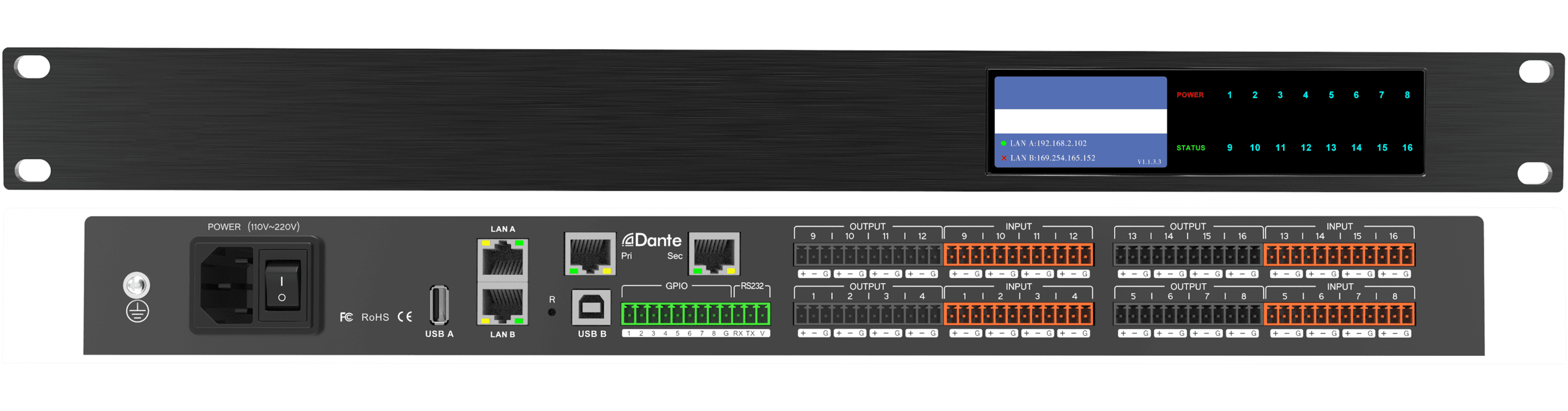
- Display: Displays the device name, IP address, and device version number.
- POWER: Power indicator, the device power supply is normal when the red state is always on;
- STATUS: System Operation Indicator, green flashing state when the system is running normally;
- Channel level indicator: the corresponding channel indicator will light up when there is an input level.

- POWER: Power supply interface, connect 110V-220V AC power supply, warp switch control processor power;
- ETHERNET: Network control interface, by connecting this network port, the client computer can debug and monitor the device;
- Dante: Dante network audio transmission interface, equipped with primary and secondary dual network interface, can be used for redundant backup of Dante network signals;
- RESET: Reset button, long press to restore factory settings and restart the processor;
- USB-Type A interface: USB recording and playbackinterface;
- USB-Type Binterface: USB audiocard interface;
- RS232+GPIO interface: Connect to the control terminal or central control device;
- INPUT: Signal input interface, can be connected to microphone, PC and other devices;
- OUTPUT: Signal output interface, can be connected to the amplifier, active speakers and other equipment;
- Ground screw: Used to ground the chassis, play accidental leakage safety protection, electrostatic balance and other protective measures.

By default, the device automatically obtains the IP address assigned by the DHCP server (you need to assign an IP address to it through the DHCP server of the router or managed switch, or else you can’t connect to the device), and the device’s front-panel display will show the current IP address.
Access the processor’s IP address from the client host’s browser to the following page:

Click the “DOWNLOAD” download button, choose to download the Windows, macOS, Linux, Android platform client software Designer and UCI on the download page, and follow the prompts to install it.

Note: Before installing the client software, please make sure that your Windows operating system has installed Microsoft.Net Framework 4.7.2 or above, if not, you can click Download and Install.
FAQ
- Abnormal power indicator (POWER)
No light: First, check whether the power connection and device power supply are normal; second, check whether the power switch on the rear panel of the device is on.
Blinking: Unplug all GPIO connection cables and re-power on the device.
Please contact the manufacturer if the fault is not solved.
- Abnormal status indicator (STATUS)
After 18 seconds of power-on, the system is working normally and the system light of the device should be flashing once per second.
Does not light up, often light up, or blinks rapidly:
First, system error, contact the after-sales service to upgrade the software version; second, long press the reset button (R hole on the rear panel of the device) for more than 6 seconds, the device will restore the factory settings and restart automatically. Troubleshooting has not been resolved, please contact the manufacturer.
- Channel no sound
First, check whether the audio source, audio input and output wiring is normal; second, check whether the mute function of the corresponding audio channel is enabled, if the mute switch has been turned on, please turn off the mute switch; third, check whether the settings of the corresponding channel’s input processing, matrix mixing and output processing are normal; fourth, check that the audio source is routed correctly in the Dante Controller. Please contact the manufacturer if the problem is not solved.
- The software cannot search the device
First, check whether the system light of the device is in normal blinking state; second, check whether the network connection is normal; third, ensure the network accessibility between the configuration host and the device; fourth, press and hold down the reset button (R-hole on the rear panel of the device) for more than 6 seconds, and the device will restore the factory settings and restart automatically. Please contact the manufacturer if the fault is not solved.
- Output current sound
Please check whether the processor is well grounded, which usually requires the grounding screw on the left side of the rear panel of the chassis to be connected to the metal enclosure such as the cabinet through a metal wire. If the problem still exists, please check the wiring of the input devices. If the input devices are unbalanced (two wires), please connect the “+” and “G” of the input connector of the processor.
- How to recognize system noise
After the system is set up, there is noise troubleshooting: First, unplug the device output audio cable, there is noise, please check the causes of the back stage equipment; second, restore the output wiring, mute the corresponding output channel, there is noise, if unbalanced connection, try to shorten the connecting line, to avoid the introduction of interference, if balanced connection, try to disconnect the ground wire; third, cancel the corresponding channel mute, unplug the device input audio cable, there is noise, long Press the reset button (R hole on the rear panel of the device) for more than 6 seconds, the device will restore the factory settings and restart automatically; Fourth, restore the input wiring, turn off the audio source, there is noise, check the input connection, refer to the second point of the processing; Fifth, check the audio source is there is noise. Troubleshooting not please contact the manufacturer.
- RS232 center control command does not work
First, check whether the connection is normal, the central control host TX connected to the device’s RX, the central control host RX connected to the device’s TX, the central control host and the device’s ground interconnect; second, check the software configuration of the device interface items: baud rate, start bit, stop bit, etc. Settings are the same as the interface configuration of the central control host. Failure to troubleshoot please contact the manufacturer.
- U disk audio can not be played
The device only supports FAT32 format U disk, only supports MP3 or WAV format audio files, audio files need to be stored in the root directory; ensure that the U disk is writable, the device needs to create a playlist. U disk has more than one partition only recognizes the first partition.


