
4k30hz HDMI 8×1 KVM Multiviewer switcher,support keyboard and mouse control, IR remote control,Seamless Switching, no black screen while switching


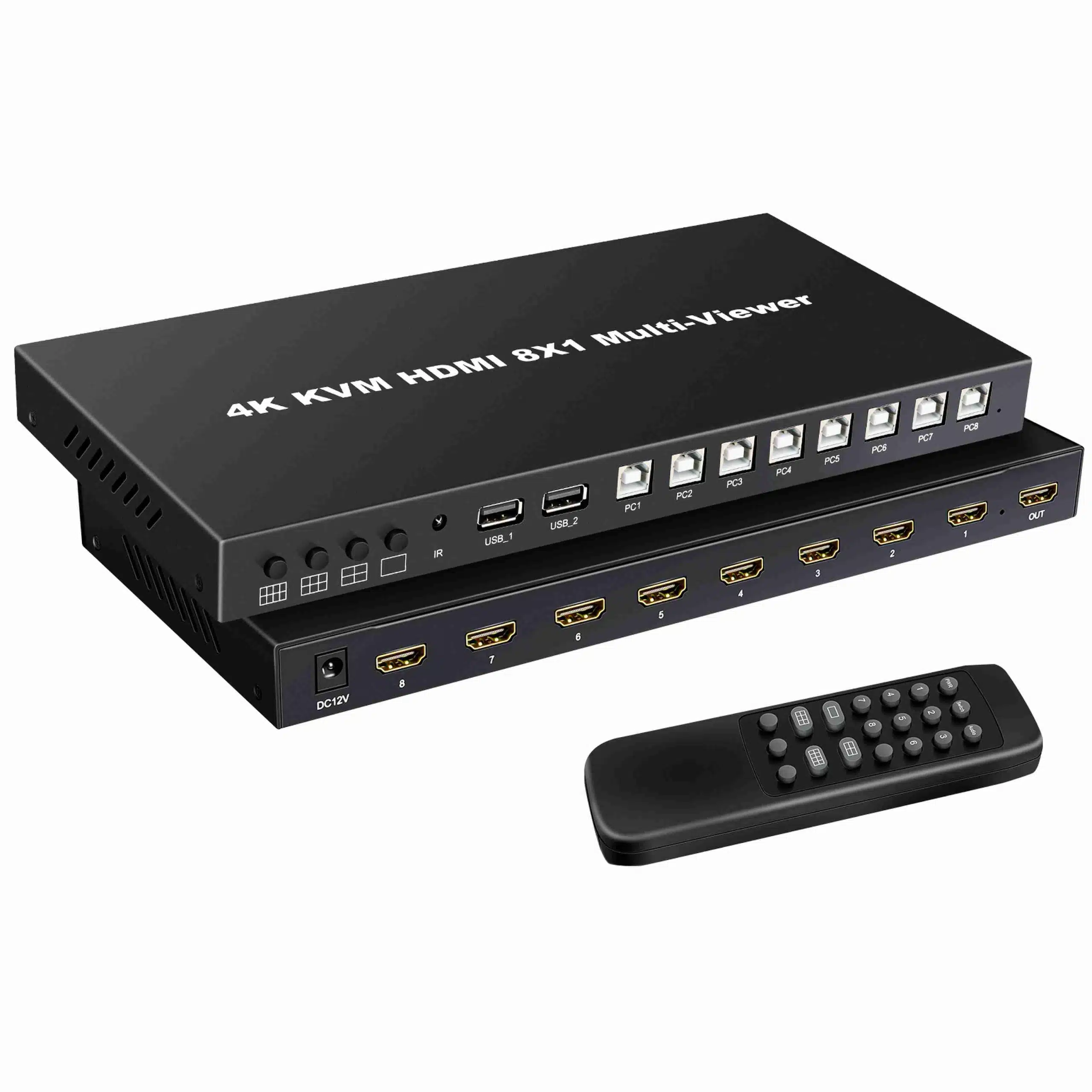
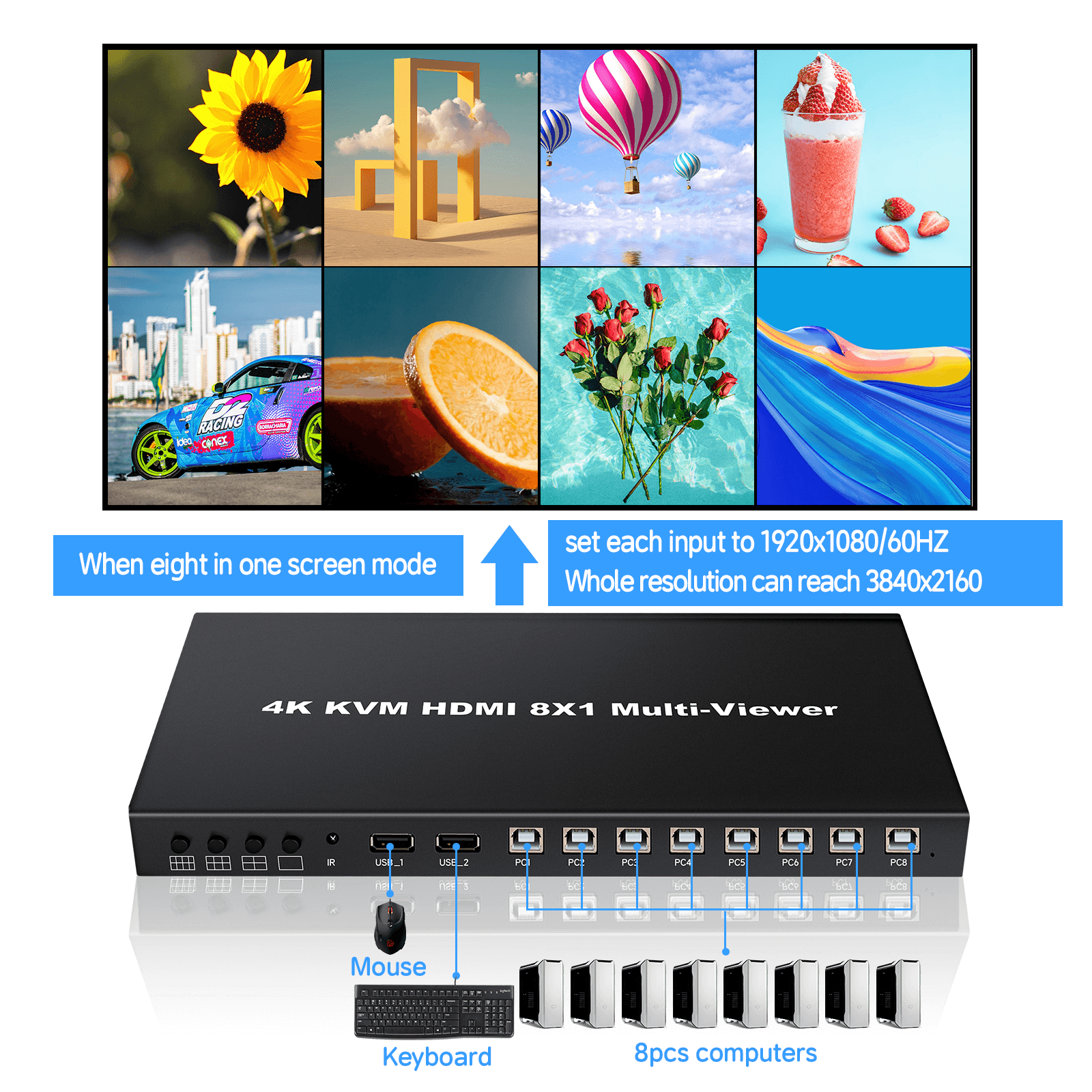
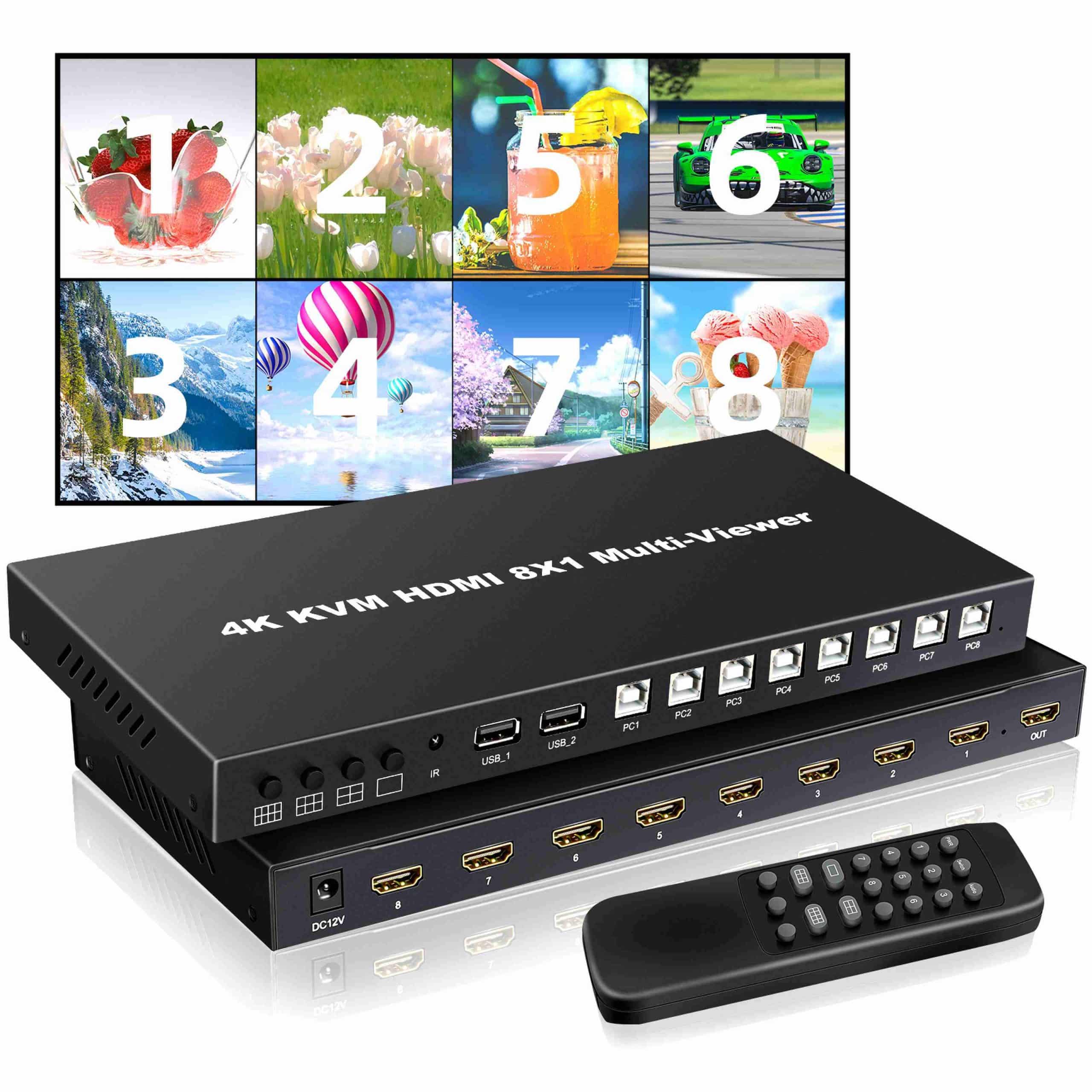
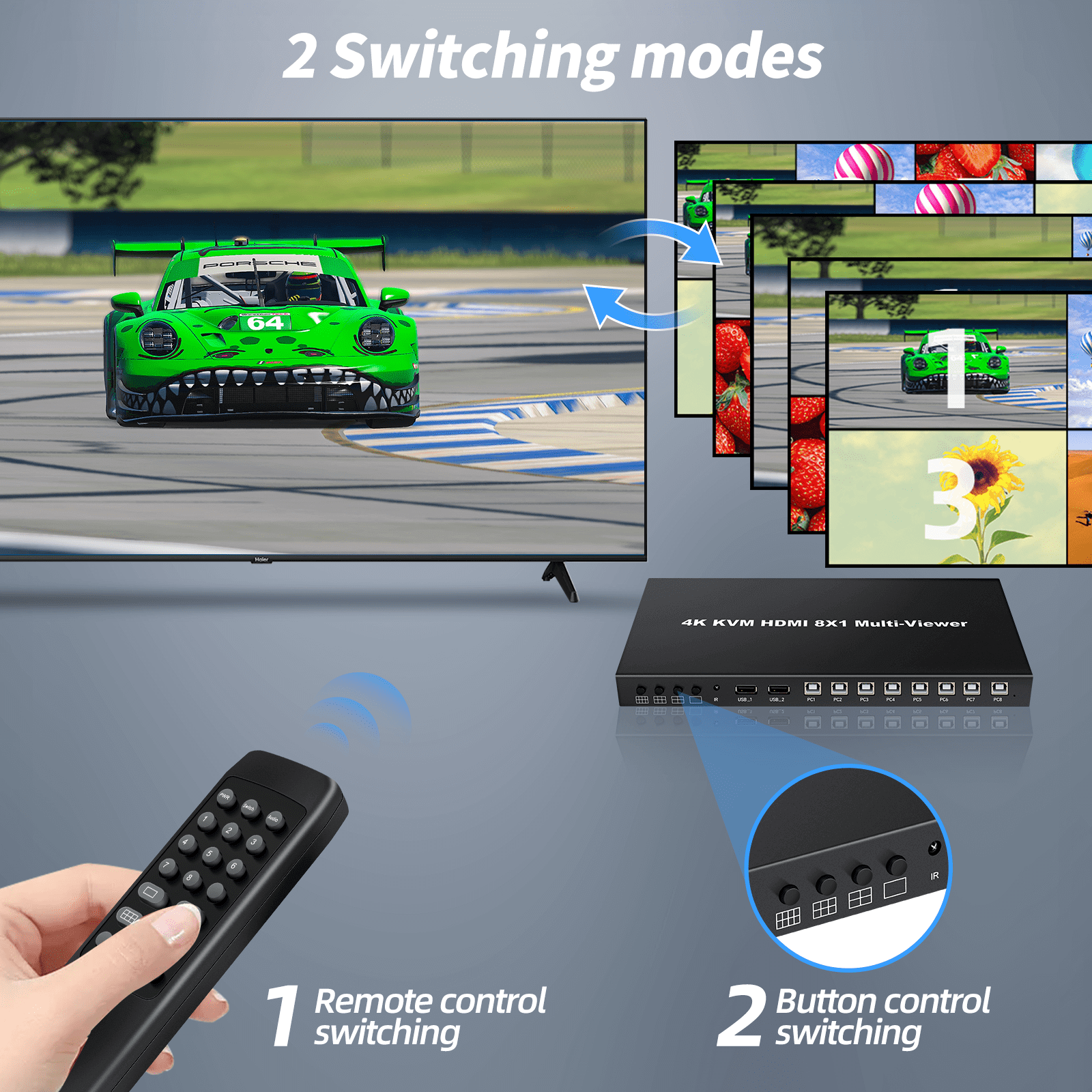
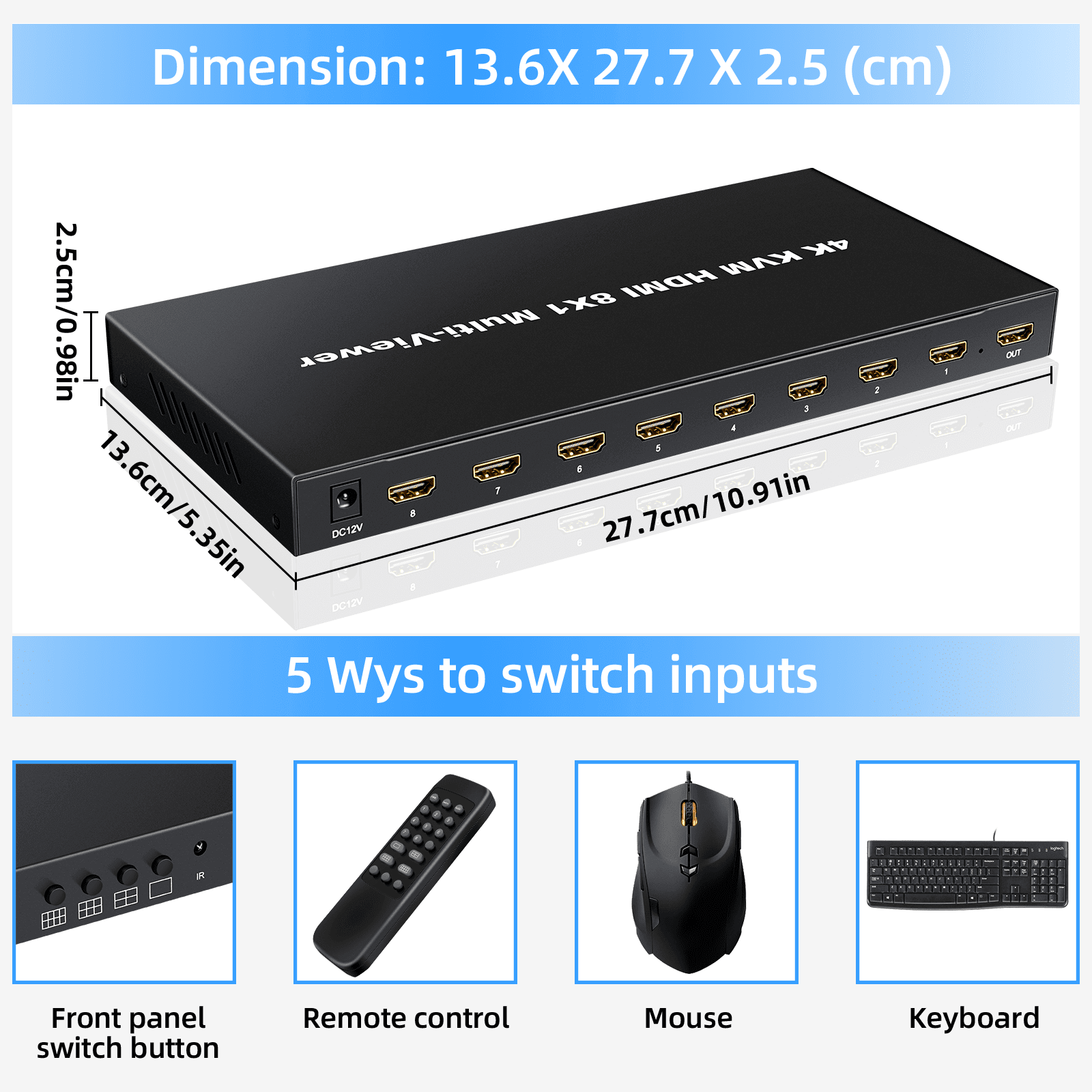
4K KVM HDMI 8×1 Quad Multi-viewer is a high performance with 8 HD screen segmentation and seamless switching output switch. It can display 8HD digital video signal on the same screen, and has a variety of video segmentation, seamless switching 8 HD input signal synchronously. The control methods of the switch is flexible, it can be switched via button and IR control. It’s a very practical and stable switch and easy to install, can be used in the major projects, meeting halls and other places.
FEATURES
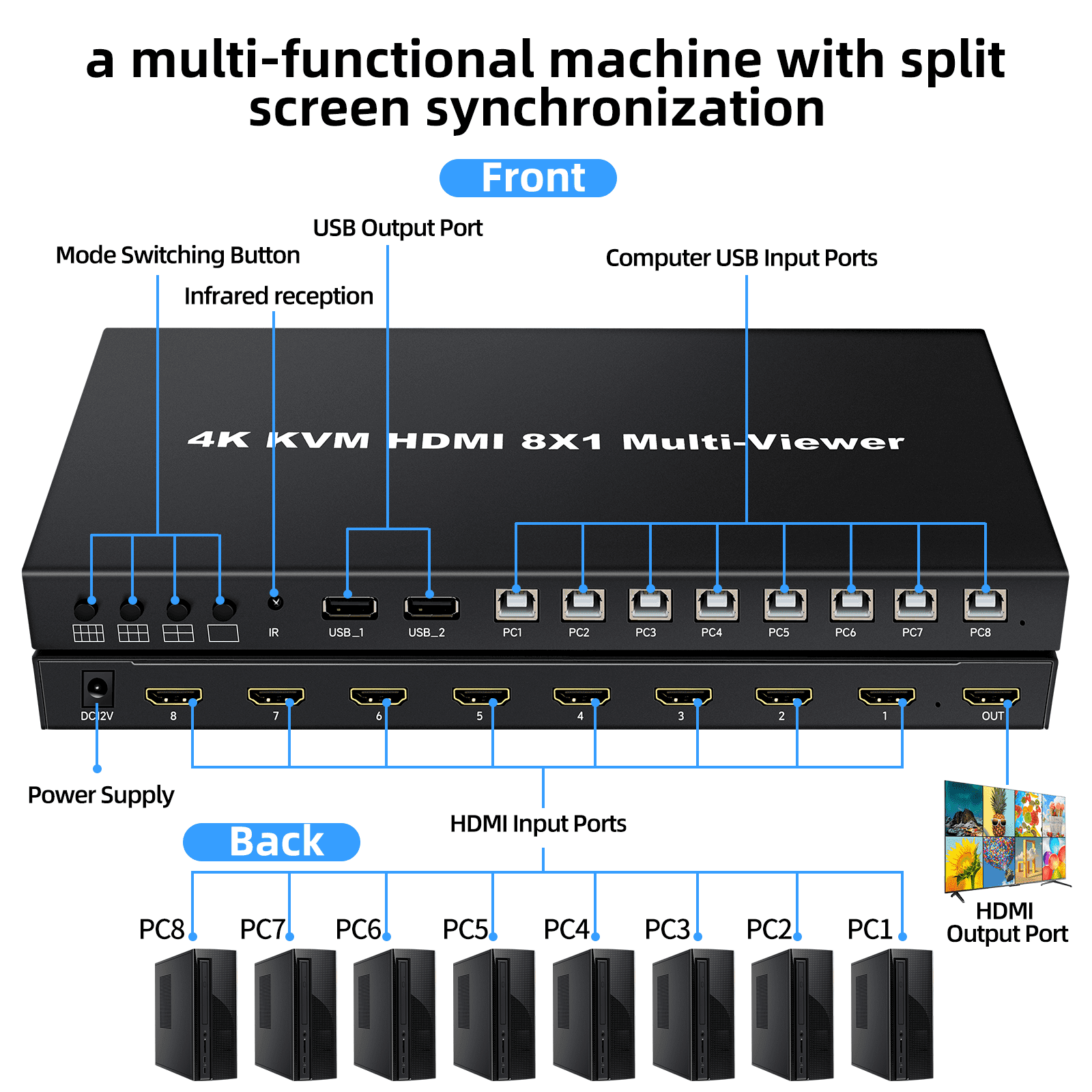
- Support 8 HDMI input, 1 HDMI output
- Support 8 channels HDMI signal seamless switching
- Support through the USB interface, connect 8 computers, sharing a set of mouse and keyboard
- Support highest resolution up to 4K30hz
- Support IR control
- Compatible HDMI1.4
- Support resolution: 2160P,1080P,720P,1080i,1024X768,1360X768 and so on
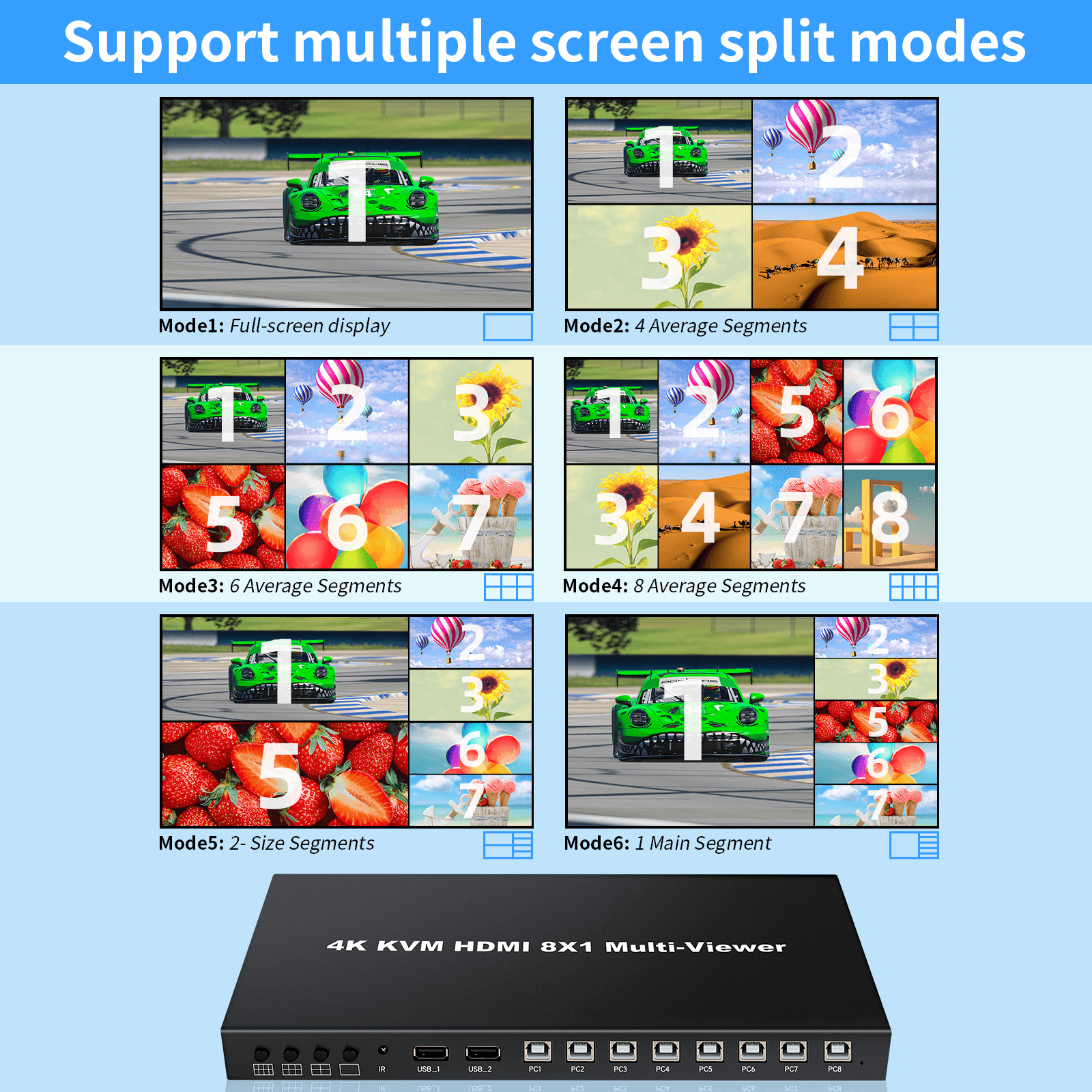
Support modes:
1 : 1 screens
2 : 4 screens
3 : 6 screens
4 : 8 screens
5 : 1 Big 5 small screens
6 : 2 Big 4 small screens
7 : 9 screens

Packing list
- 4K KVM HDMI 8x1multi-viewer x1
- 12Vpower adapter x1
- Remote control x1
- Manual x1
Functional operation:
(Note: HDMI port 1 Corresponding to USB PC 1)
- Mouse though mode: use keyboard or use remote controller
- Click “*”+“S”;2.Use the Remote control.
- KVM synchronization function mode: use keyboard or use remote controller
- Click “*”+“00”;2.Use the Remote control.
- KVM function switch:
PC1 : Click “*”+“F1” PC2 : Click “*”+“F2”
PC3 : Click “*”+“F3” PC4 : Click “*”+“F4”
PC5 : Click “*”+“F5” PC6 : Click “*”+“F6”
PC7 : Click “*”+“F7” PC8 : Click “*”+“F8”
(4) Picture hotkey operation function
Picture 1 : Click “*”+“1” Picture 2 : Click “*”+“2”
Picture 3 : Click “*”+“3” Picture 4 : Click “*”+“4”
Picture 5 : Click “*”+“5” Picture 6 : Click “*”+“6”
Picture 7 : Click “*”+“7” Picture 8 : Click “*”+“8”
Product interface pictures

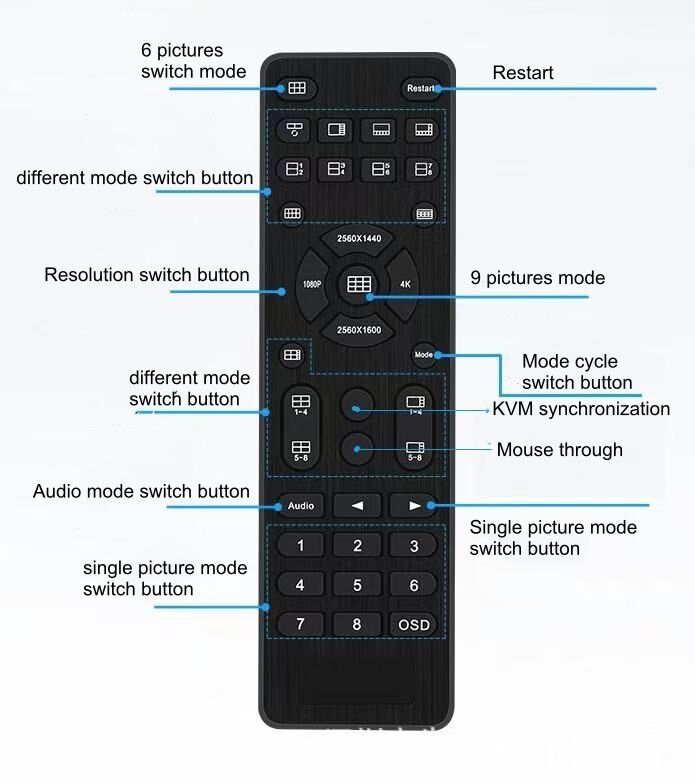
IR remote controller


