
Multichannel All in One Wireless DSP
Introduction
The digital audio processor equipped with a high-performance 32-bit floating-point DSP processor and A/D ~ D/A converter, support for 24bit/48KHz sampling frequency, high-quality 21-stage preamplifier circuit, DSP processing bus structure built-in feedback cancellation, echo cancellation, noise suppression, automatic mixing and other audio core algorithms, to restore high-quality sound, with a comprehensive matrix mixing function.
It supports multiple scene presets, scene saving and other functions, and user-friendly control software interface. Mainly used in a variety of large places, can meet the theatre, concert halls, remote video conferencing, stadiums, churches, conference center, theme parks, public sound reinforcement systems and other aspects of the application needs.

Multi-functional Audio Processor
pireless & power amplifier & processing
Features
- Highly integrated, integrating a variety of traditional Analog audio processing equipment in a Digital audio processor;
- High-performance 32-bit floating-point DSP processor, all-digital processing, fast response to feedback cancellation, echo cancellation, noise suppression and other core algorithms;
- High-performance A/D, D/A converter, 24bit/48KHz sampling frequency, high-quality Analog→ Digital, Digital → Analog conversion;
- 8Analog input channels and 8 Analog output channels, very small distortion and ultra-low background noise;
- Rich interface expansion;
- Humanization, graphical, intuitive and easy-to-operate control software interface;
- Integrated design of audio processing, wireless microphone and amplifier outputs;
- Comprehensive matrix mixing functions;
- Scene storage is different from the Analogequipment is one of the most practical and significant features, can store 100 complete scenes, all the scenes can be exported to an external storage device for storage backup, so that the later call at any time.
Function
- Comprehensive matrix mixing function, 24bit/48KHz sampling frequency, high performance A/D, D/A converter and 32-bit floating point DSP processor;
- DSP audio processing, built-in automatic mixing console, including mixing and automatic mixing functions, but also has a mixing component control function; at the same time with AFC, AEC, ANSmodule;
- Inputs per channel: Preamplifier, Generator, Expander, Compressor, Auto Gain, 5-band parametric EQ;
- Outputs per channel: delay, crossover, limiter, 31-band graphic EQ;
- Chinese name can be set independently for each channel;
- Test signal generator, sine wave, pink noise, white noise, frequency and level magnitude selectable;
- Input phase switch, mute switch, phantom power switch;
- Output mute switch, phase switch per channel;
- Flexible switching between Chinese, Traditional and English languages;
- One-click display of all function modules;
- Storing Chinese help document and software with the machine;
- Central control code generated in the control software; power failure automatic protection memory function; one-key reset function;
- Channel copy, paste, joint control function;
- The same host allows 10 users to manage, the user name can be set to Chinese;
- Device name can be modified, Chinese name is allowed;
- Editable preset mode, new, delete, modify, one-key initialization, preset mode can be stored to computer and one-key recovery;
- Input and output channels can be set independently of the colour, one-key recovery switch;
- With camera tracking function, can independently adjust the preset position of a camera, compatible with VISCA, PELCO-D, PELCO-P three control protocols, support for custom commands;
- Convenient and fast web control: Built-in web controller for fast operation on Windows, macOS, Linux, Android, iOSand other platforms;
- Ethernet multi-purpose data transmission and control port, can support real-time management of single and multiple devices;
- Intuitive image, simple and easy to understand the graphical software control interface, for customers to bring fast, real-time operating experience;
- The device does not need a disc, comes with installation software, a device for a software version, to solve the troubles caused by the loss of the installation disc and the confusion of multiple software versions;
- Extendable USB interface, support USB music playback and recording function;
- Configuration of bi-directional RS232 interface, RS485 interface, standard Ethernet control interface, 8-channel programmable GPIO control interface (customisable inputs and outputs), level support for external inputs 3.3 ~ 24V;
- Support 100 groups of scene presets, scene increase, save, delete and other functions;
- Intuitive, graphical software control interface, works on Windows XP, 7, 8, 10, 11, etc.;
- Support mobile iOS, iPadOS, Android control software.
Specification
| Analog channels | 4/8 balanced/line inputs 4/8 balanced/line outputs |
| Digital Amplifier Channels | 2x150W |
| Wireless Microphone Channels | 2 |
| Number of 232 serial interfaces | 1 |
| Number of RJ45 interfaces | 1 |
| Number of USB interfaces | 1 USB Type A |
| Sampling Rate | 48KHz@24bit |
| Preamplification | 51dB |
| Phantom Power | 48V |
| Frequency Response | 20Hz~20KHz,±0.2dB |
| THD+N | ≤0.003%@1kHz,4dBu |
| Analog to Digital Dynamic Range (A-weight) | 120dB |
| Digital to Analog Dynamic Range (A-weight) | 114dB |
| Input Impedance (Balanced) | 20kΩ |
| Output Impedance (Balanced) | 100Ω |
| EIN (A-weight) | ≤-125dBu |
| Channel Isolation | 100dB@1KHz,4dBu |
| Common mode rejection | 70dB@50Hz |
| Signal-to-Noise Ratio | 108dB |
| Maximum Input Level | 18dBu |
| Maximum Output Level | 18dBu |
| Background Noise | -90dBu |
| System Delay | ≤9ms |
| Operating Power Supply | AC 110V-220V,50Hz/60Hz |
| Power Consumption | <330W |
| Operating Temperature | 0-40℃ |
| Operating Humidity | 10%~90% No condensation |
| Product Weight | 3KG |
| Product Size | 482x258x45mm |
| Package Weight | 3.5KG |
| Package Size | 590×430×110mm |
Wireless System
The Device wireless system using UHF dual-channel multi-frequency design, the use of high-precision phase-locked loop frequency synthesis PLL technology, with an automatic search to select the frequency and ACT (Automatic Channel Tracking Lock) function, manual FM, frequency lock, LION V and handheld microphone at the same time with a power display, electronic volume press the Jian five functions, a wide and clear LCD liquid crystal display.
Features
- Using UHF 610-670MHz frequency band, adopting phase-locked loop frequency stabilization system, with 200 selectable channels.
- Automatic frequency sweeping function, the transmitter infrared frequency window aligned with the receiver infrared frequency window, infrared can automatically search for the corresponding frequency point.
- Frequency lock function, long press the search button to display the frequency lock symbol, unlock and long press again to unlock.
- Independent volume adjustment.
- Receiver and transmitter LCD display, signal strength, audio dynamics, operating frequency at a glance.
Specification
| Carrier Frequency | 610-670MHz |
| Modulation Mode | FM |
| Bandwidth | 50MHz |
| Channel | 2×100 channels |
| Frequency Stability | ±0.005% |
| DynaRange | >105dB |
| Maximum modulation system | ±68KHz |
| Harmonic Distortion | ≤0.5% |
| Frequency Response | 50Hz-18KHz(±3dB) |
| Artifact to interference ratio | 80dB |
| Signal-to-noise ratio | >105 dB |
| Effective Distance | 80m(Without obstruction) |
| Power Consumption | 3W |
| Receiving Sensitivity | 5dBµV |
| Operating Temperature | -10°C-+40°C |
| Handheld microphone Transmit power | Max 30mW |
| Handheld microphone Battery | 1.5V AA×2 |

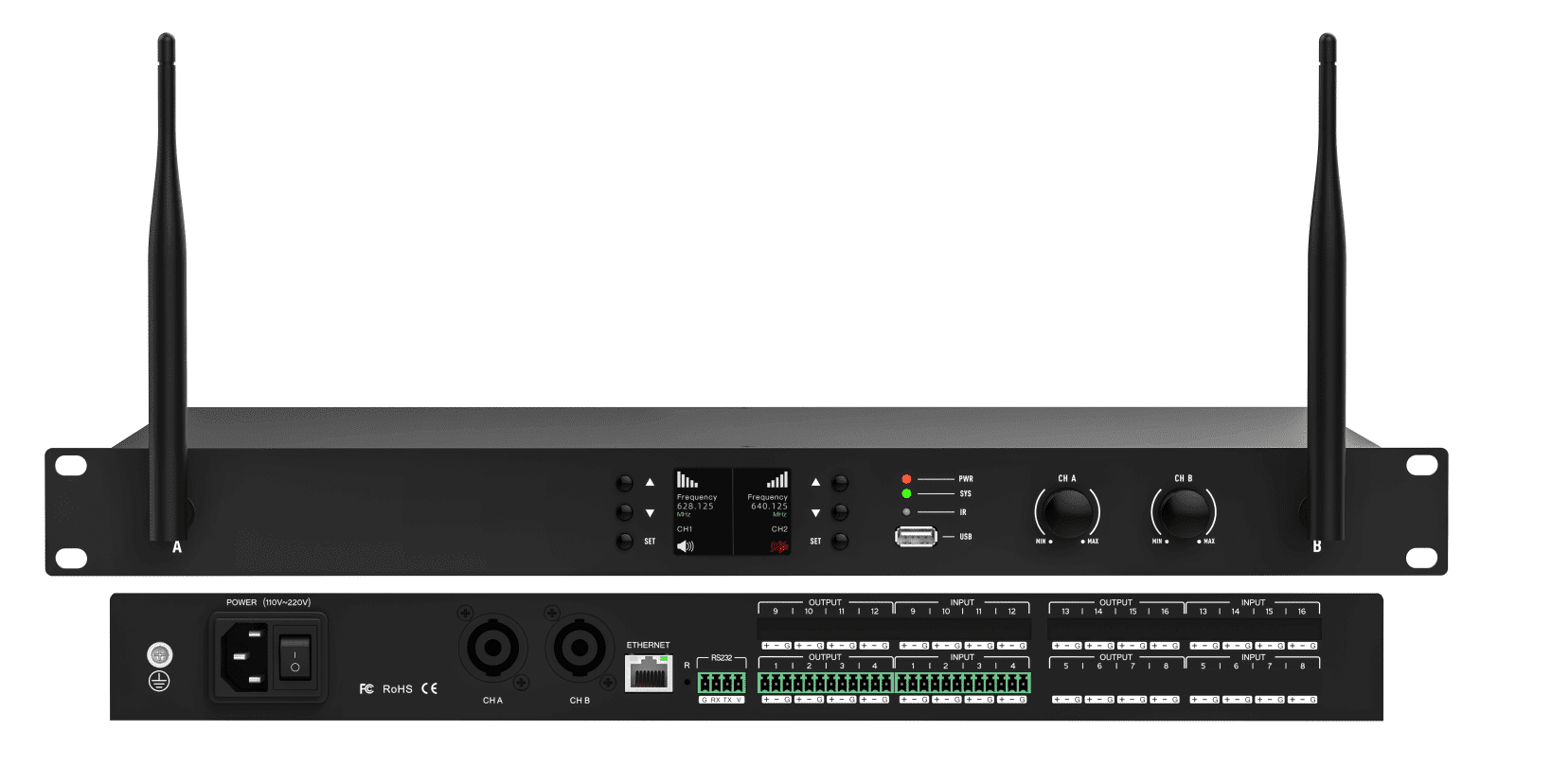
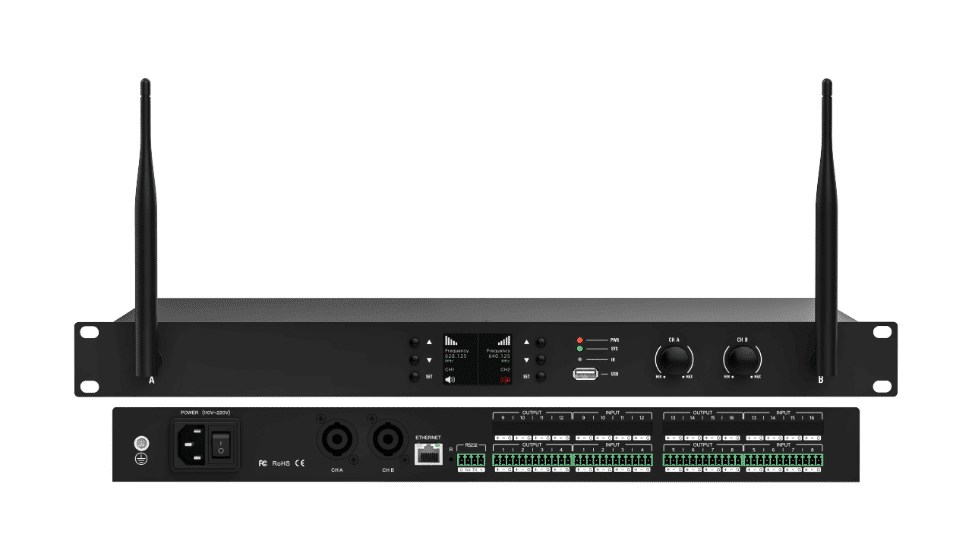
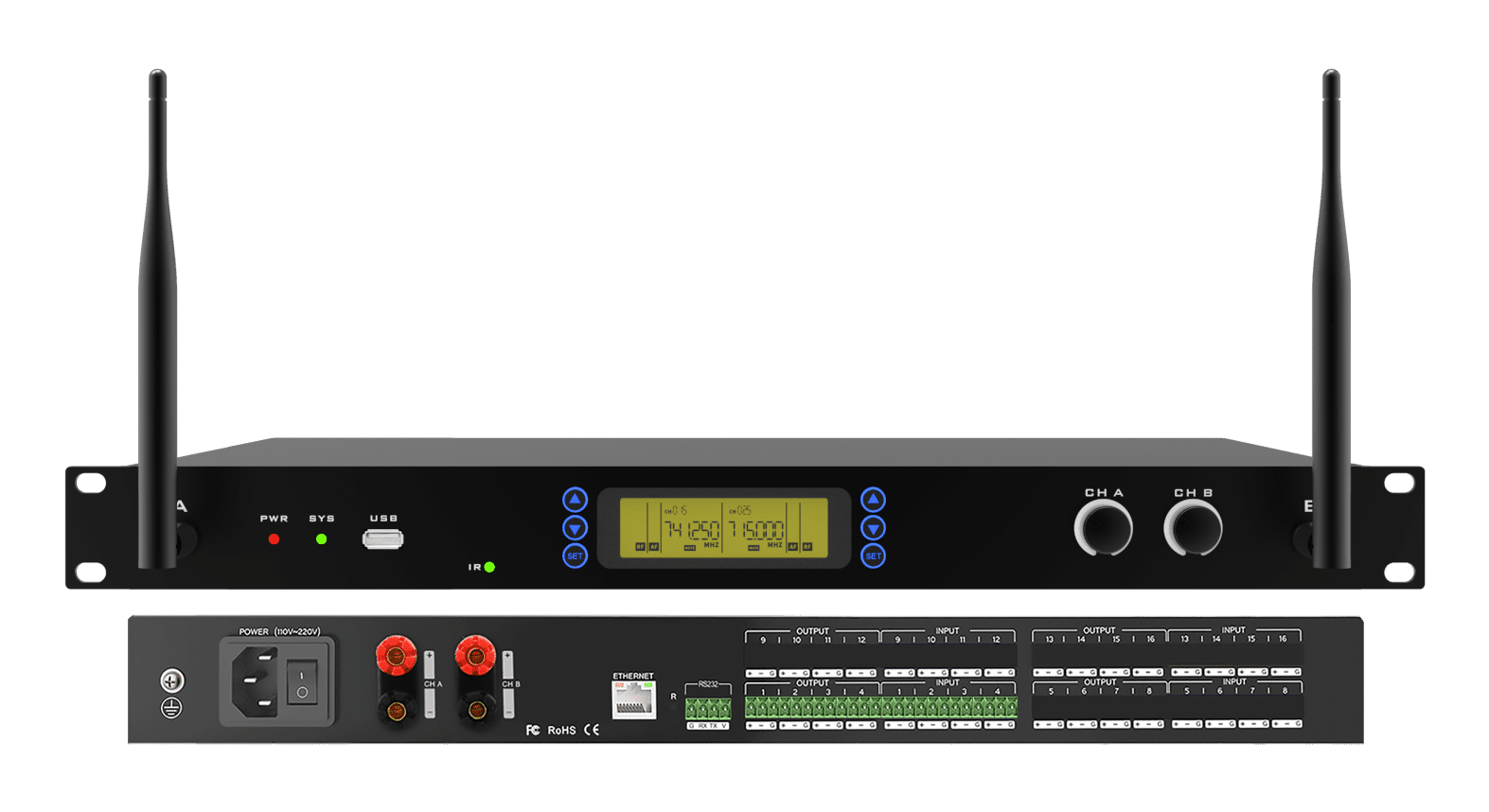
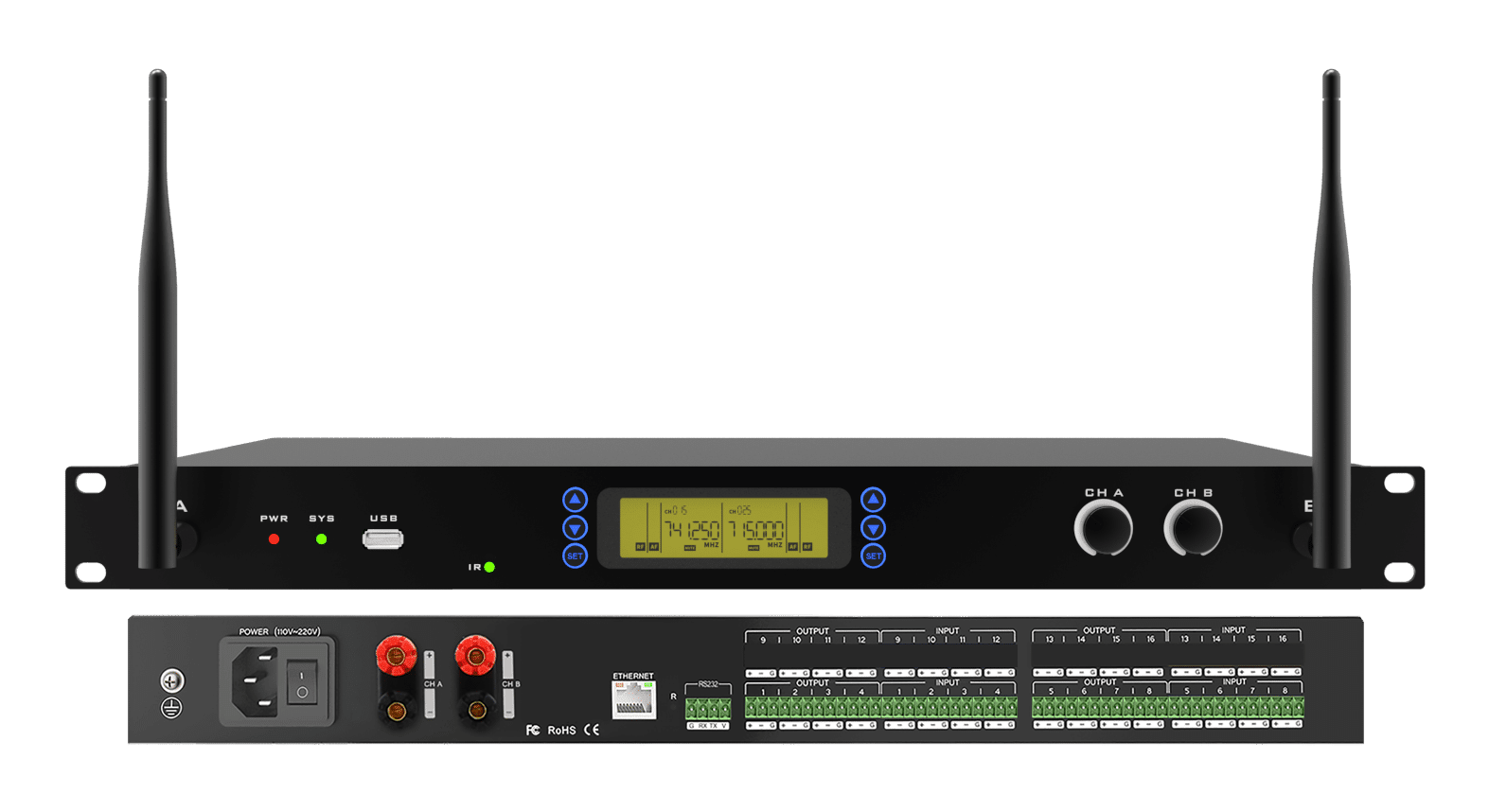
- PWR (red): the equipment power supply is normal, the power indicator is always on,;
- SYS (green): system operation indicator, the system maintains a blinking state during normal operation;
- USB: Storage device interface, support for U disk recording and playback of audio;
- Amplifier Volume Adjustment Knob: Adjust the volume of CHA and CHB amplifier outputs respectively;
- IR: Frequency pair transmitter port, please place the microphone close to this port when frequency pairing. With 250KHz channel interval, it provides up to 200 channels to choose;
- Wireless microphone control panel, two groups of three buttons (up, down, SET button) to realize the FM and frequency pairing function of two wireless microphones respectively;
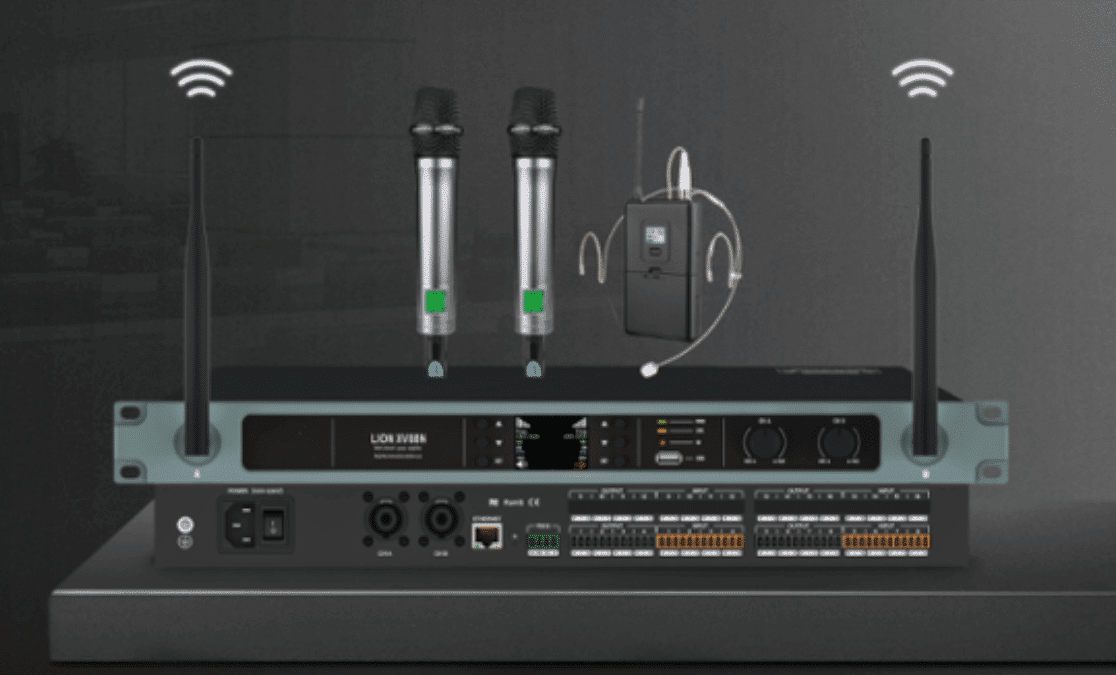
- wireless receiving antenna, corresponding to two wireless transmitting terminals.
Rear

- POWER: Power connector to connect to 110V-220V AC power supply, with a rocker switch to control the processor’s power supply;
- ETHERNET: Network control interface, through the connection of this network port, the client computer can debug and monitor the device;
- RESET: Reset button, long press to restore factory settings and reboot the processor;
- RS232: Connecting control terminals or centralized control devices;
- INPUT: Analog input interface, can be connected to mixer, microphone, PCand other devices;
- OUTPUT: Analog output interface, suitable for connecting amplifier equipment or active speaker equipment;
- Amplifier output interface: Output CHA, CHB channel signals amplified by amplifier;
- Ground screw: Used to ground the chassis, play accidental leakage safety protection, electrostatic balance and other protective measures.
Note: This manual takes 8-channel device as an example for illustration, please refer to the actual device for details.
Network Configuration
The default IP address of the processor is 192.168.1.200, and the subnet mask is 255.255.255.0. Please make sure that the IP address of the client host and the processor are in the same network segment so that the client software can connect to the processor normally.
Note: The client software can modify the IP address of the processor after successful login.
Wireless Terminal FM and Detailed Configuration
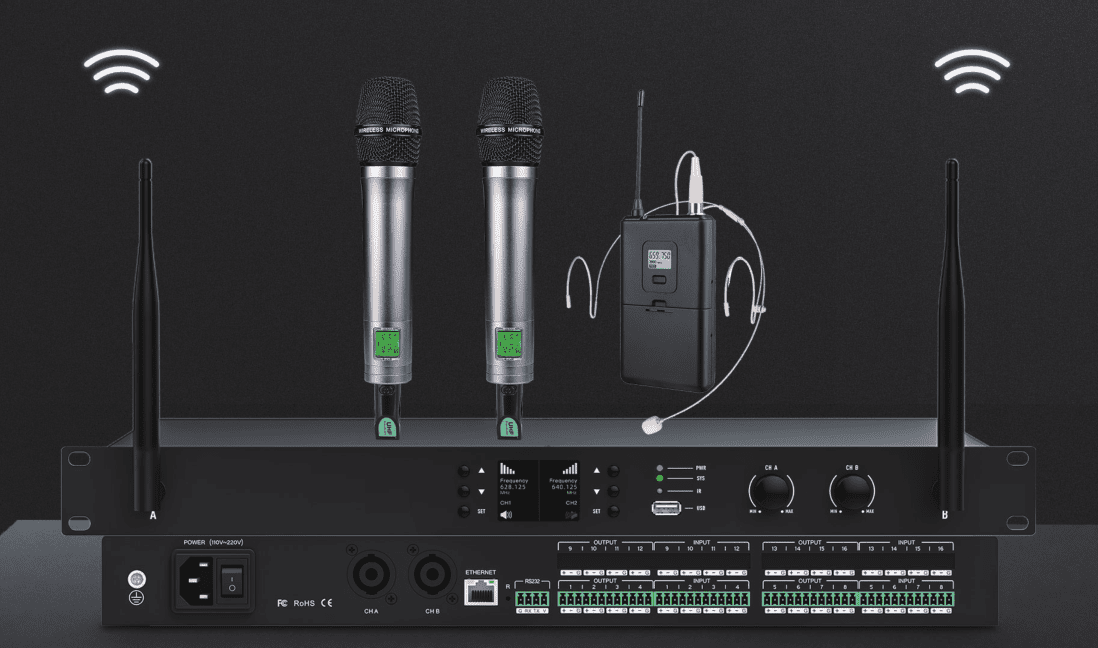
The wireless terminal mainly refers to the optional handheld microphone or lavalier microphone, which needs to complete the wireless connection with the host through the following ways of frequency pairing:


- Menu;
- Button function area;
- ..Output: Audio processing components;
- Input Channels:
MIC1~MIC2: Wireless microphone Input channels;
IN1~IN8: 8 Analog Input channels.
- Output Channels:
AMP1~AMP2: 2 Amplifier Output channels;
OUT1~OUT8: 8 Analog Output channels.
- Play/Rec: USB Playback and Recording components.
Matrix Mixer

FAQ
- Abnormal power indicator (PWR)
No light: First, check whether the power connection and device power supply are normal; Second, check whether the power switch on the rear panel of the device is on. If the problem is not solved, please contact the distributor or manufacturer.
- Abnormal status indicator (SYS)
After 18 seconds of power-on, the system is working normally and the system light of the device should be flashing once per second.
Does not light up, often light up, or blinks rapidly:
First, system error, contact the after-sales service to upgrade the software version; Second, long press the reset button (R hole on the rear panel of the device) for more than 6 seconds, the device will restore the factory settings and restart automatically. If the problem is not solved, please contact the distributor or manufacturer.
- Channel no sound
First, check whether the audio source, audio input and output wiring is normal; Second, check whether the mute function of the corresponding audio channel is enabled, if the mute switch has been turned on, please turn off the mute switch; Third, check whether the settings of the corresponding channel’s input processing, matrix mixing and output processing are normal. If the problem is not solved, please contact the distributor or manufacturer.
- The control software cannot search the device
First, check whether the system light of the device is in normal blinking state; Second, check whether the network connection is normal; Third, ensure the network accessibility between the configuration host and the device; Fourth, press and hold down the reset button (R-hole on the rear panel of the device) for more than 6 seconds, and the device will restore the factory settings and restart automatically. If the problem is not solved, please contact the distributor or manufacturer.
- Network connection failure
Network connection failure is usually caused by different network segments of the device. If the LAN and the processor network segments are different, you can connect the processor directly via PC, login to the device configuration interface, change the processor network segment to be the same as the LAN and then access the LAN. (Note: If the LAN is automatically obtaining IP, please check DHCP).
- Current noise in output channel
Please check whether the processor is well grounded, which usually requires the grounding screw on the left side of the rear panel of the chassis to be connected to the metal enclosure such as the cabinet through a metal wire. If the problem still exists, please check the wiring of the input devices. If the input devices are unbalanced (two wires), please connect the “+” and “G” of the input connector of the processor.
- How to recognize system noise
After the system is set up, there is noise troubleshooting: First, unplug the device output audio cable, there is noise, please check the causes of the back stage equipment; Second, restore the output wiring, mute the corresponding output channel, there is noise, if unbalanced connection, try to shorten the connecting line, to avoid the introduction of interference, if balanced connection, try to disconnect the ground wire; Third, cancel the corresponding channel mute, unplug the device input audio cable, there is noise, long press the reset button (R hole on the rear panel of the device) for more than 6 seconds, the device will restore the factory settings and restart automatically;Fourth, restore the input wiring, turn off the audio source, there is noise, check the input connection, refer to the second point of the processing; Fifth, check the audio source is there is noise. If the problem is not solved, please contact the distributor or manufacturer.
- RS232 center control command does not work
First, check whether the connection is normal, the central control host TX connected to the device’s RX, the central control host RX connected to the device’s TX, the central control host and the device’s ground inter connect; Second, check the software configuration of the device interface items: baud rate, start bit, stop bit, etc. Settings are the same as the interface configuration of the central control host. If the problem is not solved, please contact the distributor or manufacturer.
- U disk audio can not be played
The device only supports FAT32 format U disk, only supports MP3 or WAV format audio files, audio files need to be stored in the root directory; ensure that the U disk is writable, the device needs to create a playlist. U disk has more than one partition only recognizes the first partition.


