
100Meter USB 3.2 Extender with USB-B Input, backward compatible with USB 2.0 and 1.1 across a point-to-point connection

HDBT USB 3.2 Extender,Plug&Play,Easy operation

The USB 3.0 Extender can extend USB signal to a distance up to 100m/328ft via a single CAT6a cable.
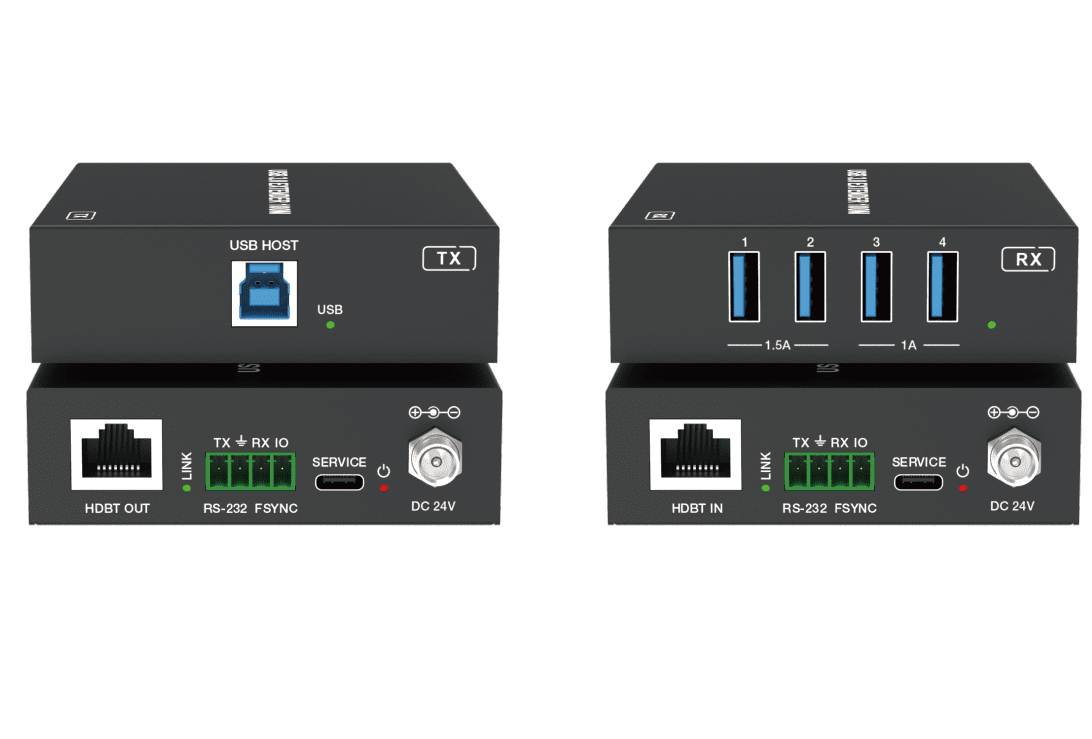
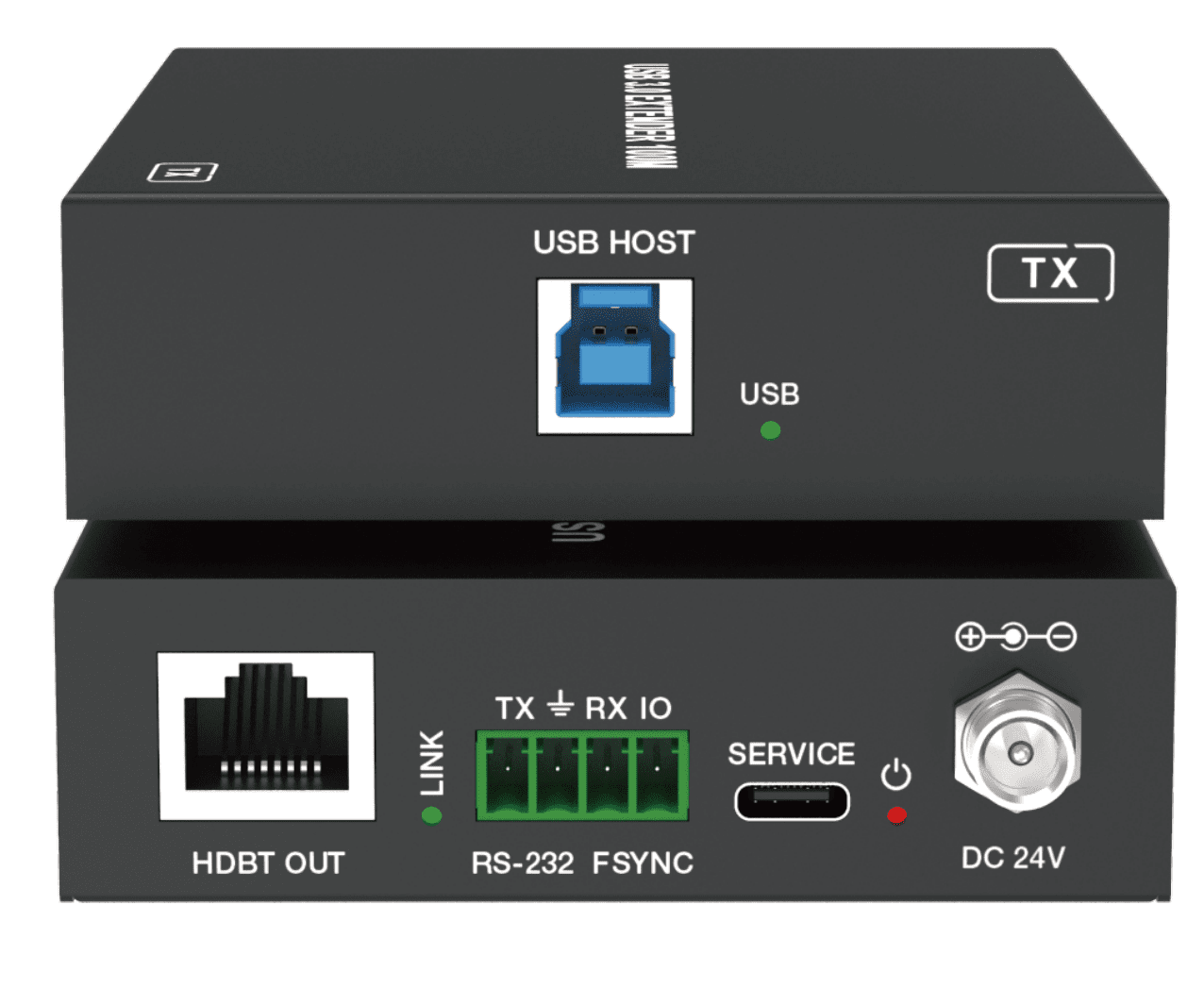
Transmitter features with one USB 3.0 Type B input, one FSYSNC GPIO input and one RS-232 pass-through.
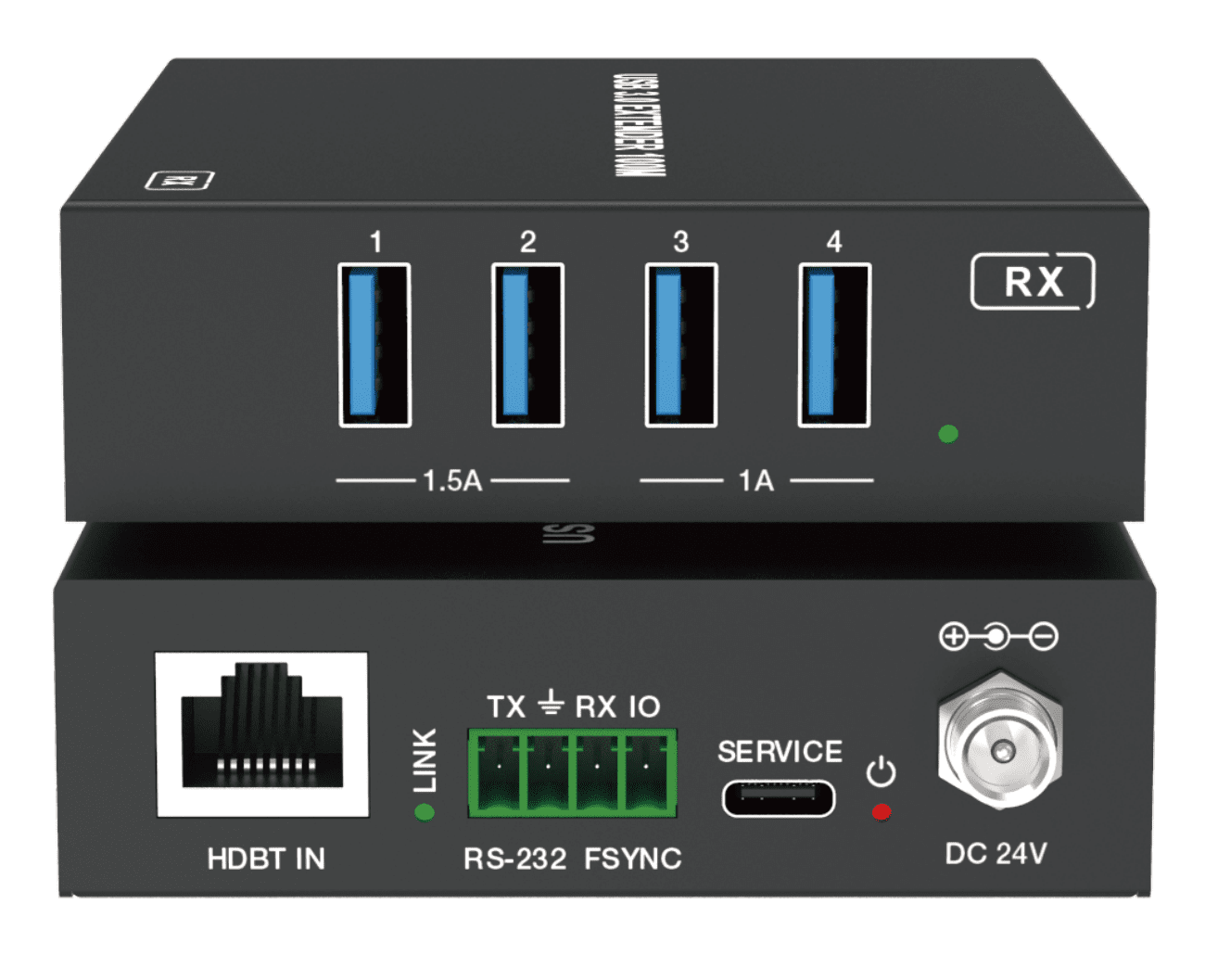
Receiver features with four USB 3.0 Type A outputs, one FSYSNC GPIO output and one RS-232 pass-through.
Bi-directional 24V PoC is also supported. The product can be widely used for long distance signal transmission between a PC and USB devices.
Features
☆ Extension of USB 3.0 up to 100m/328ft over CAT6a cable
☆ USB 3.0 connectivity with data transfer rate up to 5Gbps
☆ Backwards compatible with USB 2.0 and 1.1 ☆ Hardware acceleration for isochronous and bulk transfer
☆ USB-A port 1 and 2 support 5V/1.5A, port 3 and 4 support 5V/1A on the Receiver
☆ Support RS-232 pass-through and FSYNC GPIO pass-through (for industry camera use)
☆ Support bi-directional 24V PoC
☆ Simple plug and play, no driver and setting installation required
Package Contents
① 1× USB 3.0 Extender (Transmitter)
② 1× USB 3.0 Extender (Receiver)
③ 1× 24V/2A Locking Power Supply
④ 2× 4pin-3.5mm Phoenix Connector (Male)
⑤ 4× Mounting Ear
⑥ 8× Machine Screw (KM3*4)
⑦ 1× User Manual
Specification

Interfaces
Transmitter

Receiver

Connection Diagram

The extender’s transmitter is powered using the included power supply, which can also power the receiver using PoC (power-over-cable).
This device does not require any software to your system or target devices. Simply attach the transmitter to your computer’s USB port, plug in the Cat 6a cable, attach remote USB peripherals to the receiver, and start working.
It works with Windows, Mac OS X, and Linux operating systems.
Applications
Conference rooms
Classroom projector systems
Collaborative PC systems
Digital signage
Educational institutions
Boardroom systems


