
4K60Hz Media Hub Seamless Switching with USB-C, HDBaset,BYOD, LAN/RS232

4K60Hz Seamless Switching Media Hub

Features
1. 2x HDMI and 1x USB-C (video and audio only)Inputs, support input video resolution up to 3840×2160@60
2. 1x HDMI and 1x HDBaseT mirror outputs ,supportoutput video resolution up to 3840×2160@60
3. 1xAC port,2x LAN ports,1x 5V/2A Charging USB-A port
4. Support seamless switching,
5. Support Auto Switching
6. Support LPCM, AC3, DD+, DTS, DTS-HD, up to 7.1 audio channel
7. Extensive EDID and HDCP control

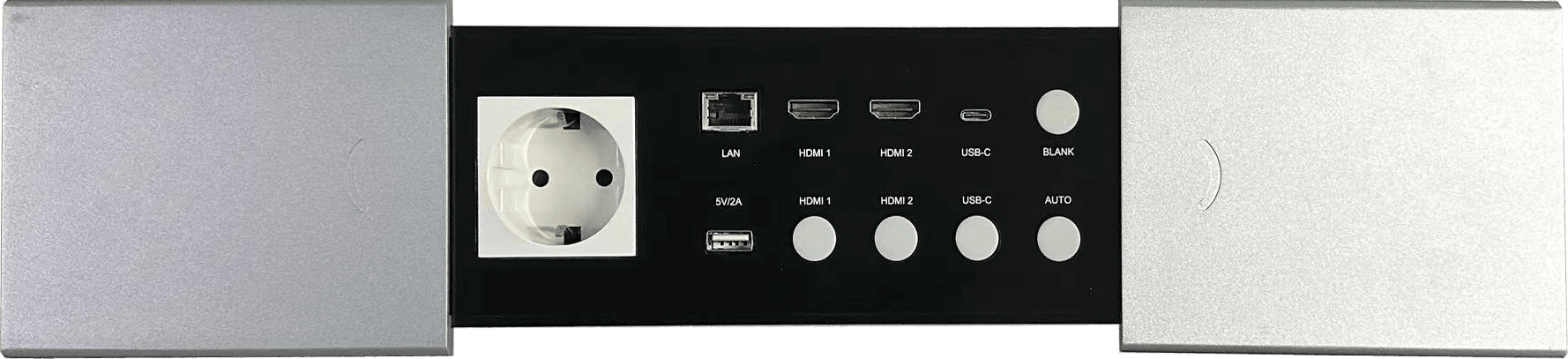
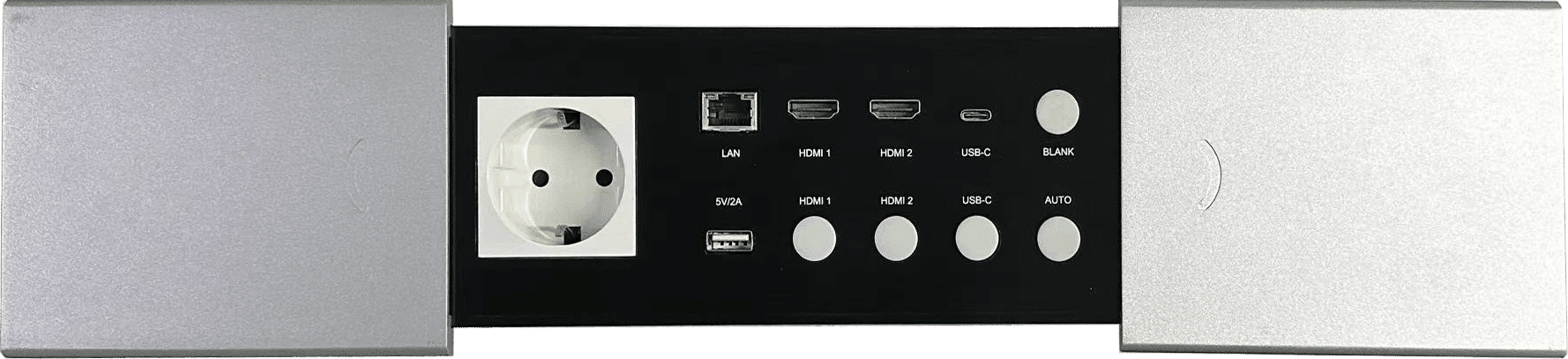
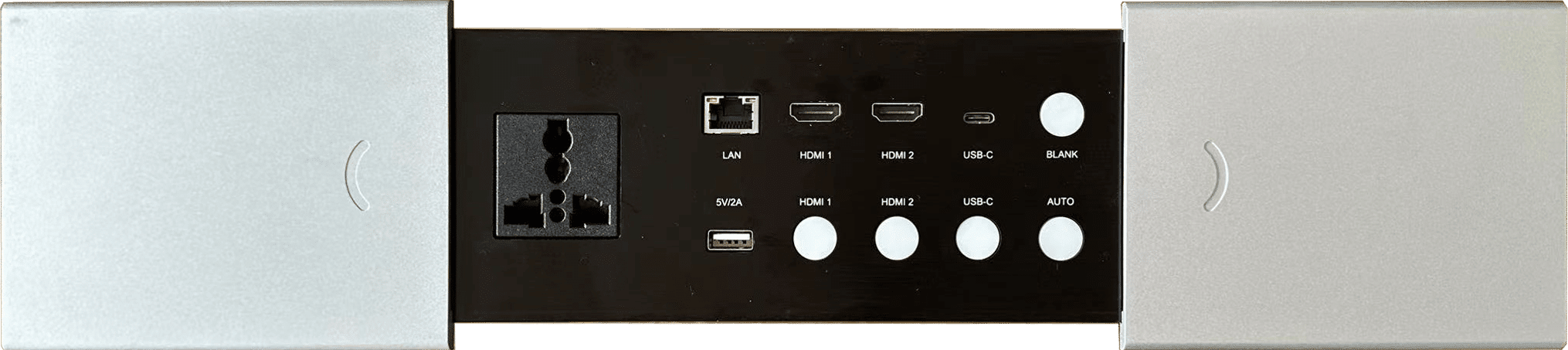
Front Panel interface

| NO. | Name | Description |
| 1 | AC Port | AC Port |
| 2 | 5V/2A | USB-A Port,Support 5V/2A Charging |
| 3 | HDMI 1 | HDMI 1 Input signal selection button(with Led inside) Press and hold this button twice in a row for at least 3 seconds each time will change the output resolution to 3840*2160@60 |
| 4 | HDMI 2 | HDMI2 Input signal selection button(with Led inside) Press and hold this button twice in a row for at least 3 seconds each time will change the output resolution to 3840*2160@50 Hz |
| 5 | USB-C | USB-C Input signal selection button(with Led inside) Press and hold this button twice in a row for at least 3 seconds each time will change the output resolution to 3840*2160@30 Hz |
| 6 | AUTO | Press AUTO button to enable or disable auto switching function (with Led inside) Press and hold this button twice in a row for at least 3 seconds each time will change the output resolution to 1080P@60 Hz |
| 7 | LAN | LAN port,directly connect to the LAN port on the Rear Panel |
| 8 | HDMI 1 | HDMI 1 Input port |
| 9 | HDMI 2 | HDMI 2 Input port |
| 10 | USB-C | USB-C ( video and audio only)input port |
| 11 | BLANK | Press BLANK button to mute the video and audio output. The inside Led will be lit when BLANK function is activated. Press and hold this button twice in a row for at least 3 seconds each time will change the output resolution to 1080P@50Hz |
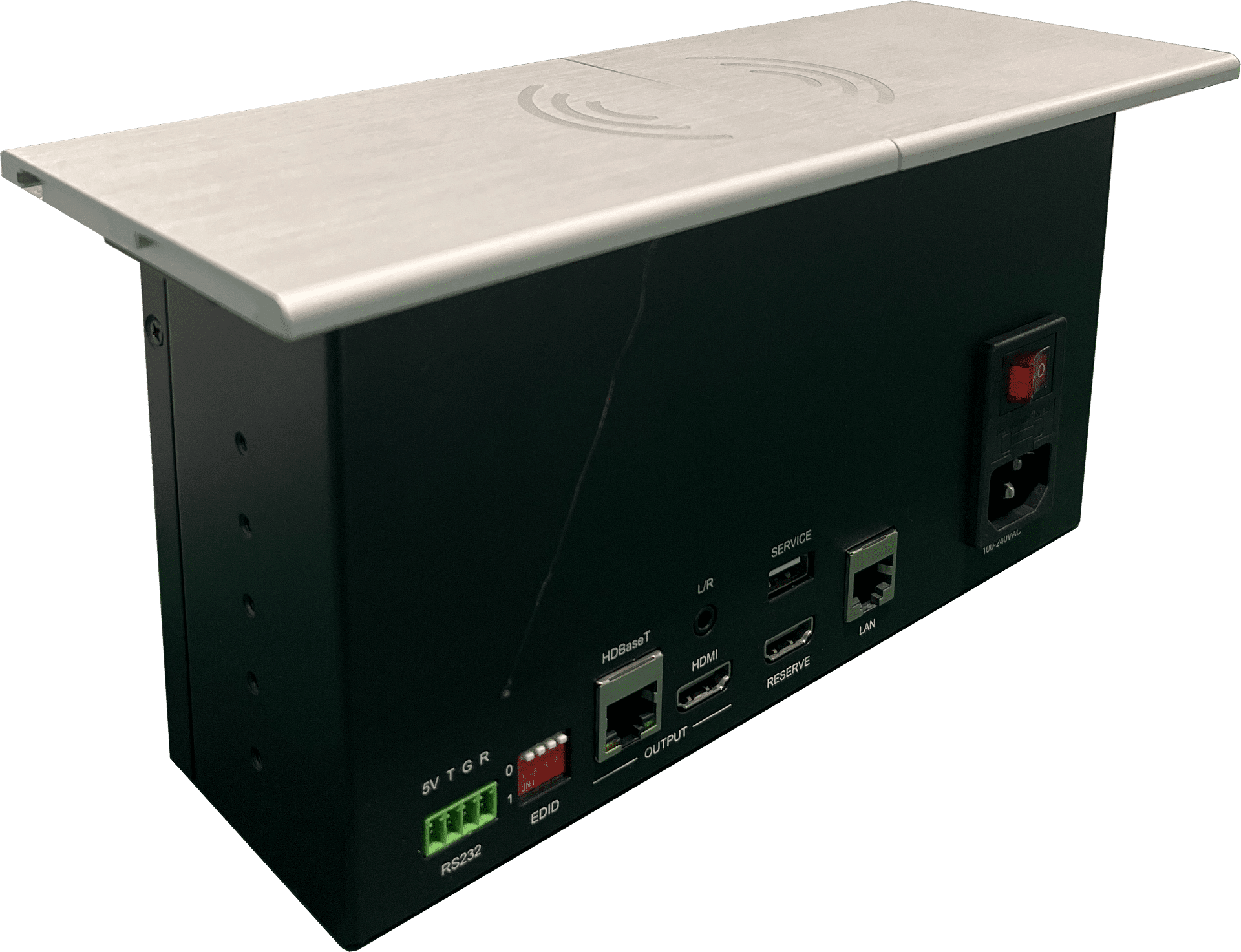
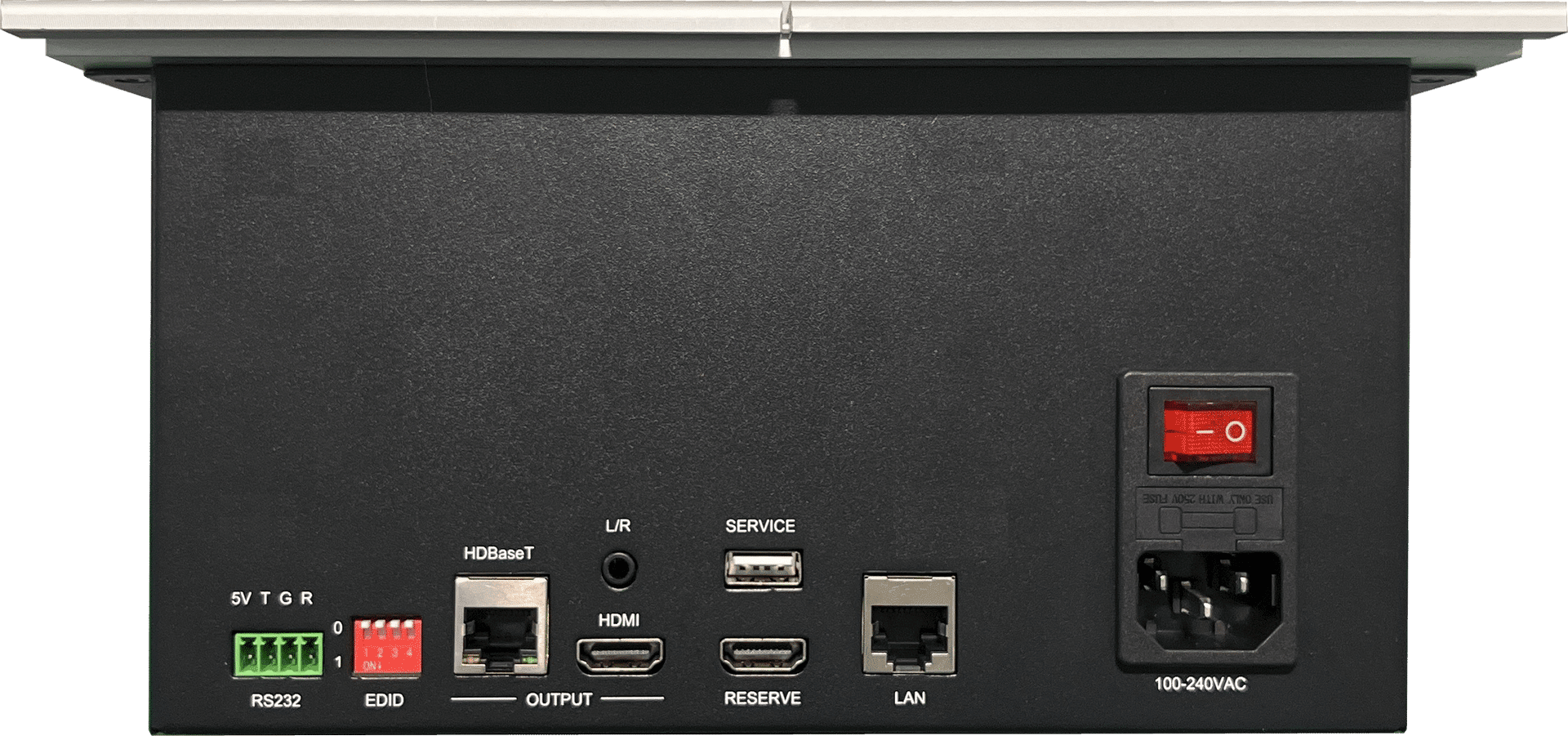
Rear Panel

| NO. | Name | Description |
| 1 | RS232 control | Baud rate 9600, 8 data bits, 1 stop bit, no parity PIN 2 TX ( Hub → PC) PIN 3 RX ( Hub ←PC ) |
| 2 | EDID Switcher | Select EDID mode See the definition of EDID SWITCH for details |
| 3 | HDBaseT out | HDBaseT output port |
| 4 | HDMI out | HDMI output port |
| 5 | RESERVE | |
| 6 | LAN | LAN port,directly connect to the LAN port on the Front Panel |
| 7 | 100-240VAC | AC Port,Input Voltage Range is 100-240V |
| 8 | L/R | 3.5mm LR audio output port |
| 9 | SERVICE | USB-A port,Used for firmware update |
Specificaiton:

Mounting dimensions

Notes:
All of our ProAV products are compatible with third-party devices.


