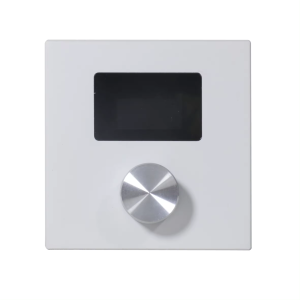
Dante 2Ch 2x75W Class D Amplifier POE++ DSP,Dante 2×2
Support TCP/IP, WebGui Control, Dante Controller
Product Features
Advanced 200W Class D audio amplifier with integrated Dante network audio
Rated power: 2×30W @ 4/8Ω, Peak power: 2×100W @ 4/8Ω
Supports Dante 2×2 audio channels
2-channel amplifier speaker output
Audio DSP processing functions include: Gain, Ducking, 8-band parametric equalizer (PEQ), Limiter, and delay control
Supports standby/sleep modes
Supports multiple protection mechanisms, including overvoltage, overcurrent, and overtemperature protection
Supports control via TCP/IP/Web GUI and Dante Controller
Supports PoE++ power supply
The audio bridge can be controlled by the built-in Dante® Web GUI. The operation steps are as following.
Step 1: Connect the Dante® PRIMARY(PoE) port of the audio bridge to the Ethernet Switch. Step 2: Connect the PC to the same Ethernet Switch, and set the Network connection setting of PC to be “Obtain an IP address Automatically”.


Step 3: Open the Dante® Controller software on the PC, and find the Dante® device on the Routing page, as shown in the figure below.

DSP page

Questions and Answers
Power indicators light out.
A: Check whether the POE switch is connected to the device.
B: Check whether the network connection line is normal;
The way to check is to use this network cable to connect PC to the switch, whether Link light and data light flicker.
C: Equipment damage, contact INFOBIT to get technical support.
No signal after the microphone is connected.
A: Set the input route through the Dante Controller software.
B: Check the type of the microphone, if it is a capacitive microphone, please open the illusion power switch.
C: Improve the gain of the preamplifier circuit.