
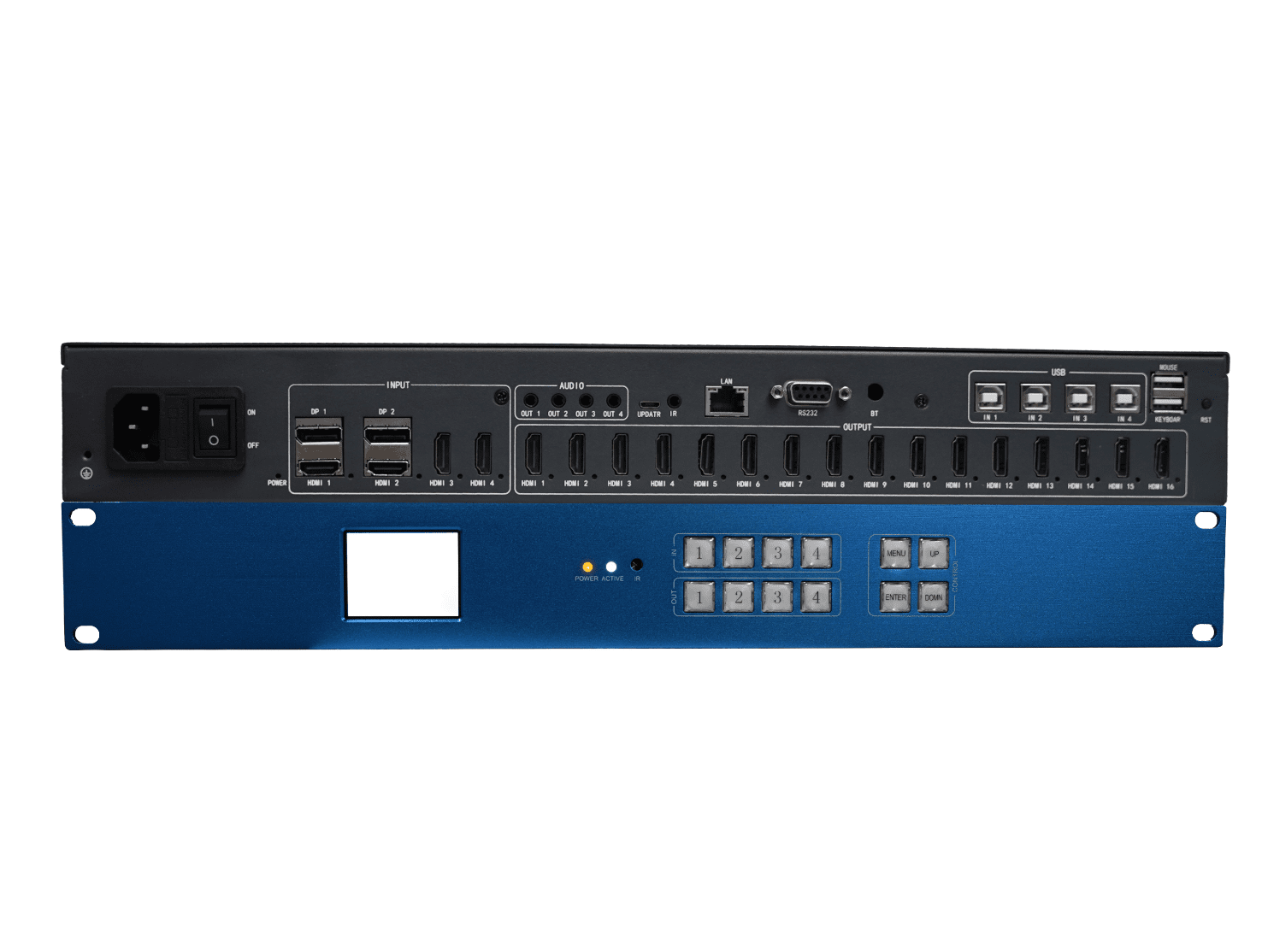
Overview
It is a 4K60 video processor, with 4-channel 4K60 inputs and 16-channel 1920x1080P60 outputs, which is capable of splicing multiple displays, through processing and controlling, and displaying four different images at the same time. Provide high-quality visual experience, widely used in commercial display, monitoring, command and control and other fields.

4×4 splicing, 4-window display

4×4 splicing, 4-window arbitrary roaming overlay roaming
Typical application
Mainly used in ultra-high-definition video surveillance,ultra-large screen walls,large advertising screens in stores,large exhibition screens and other industry applications.
Features:
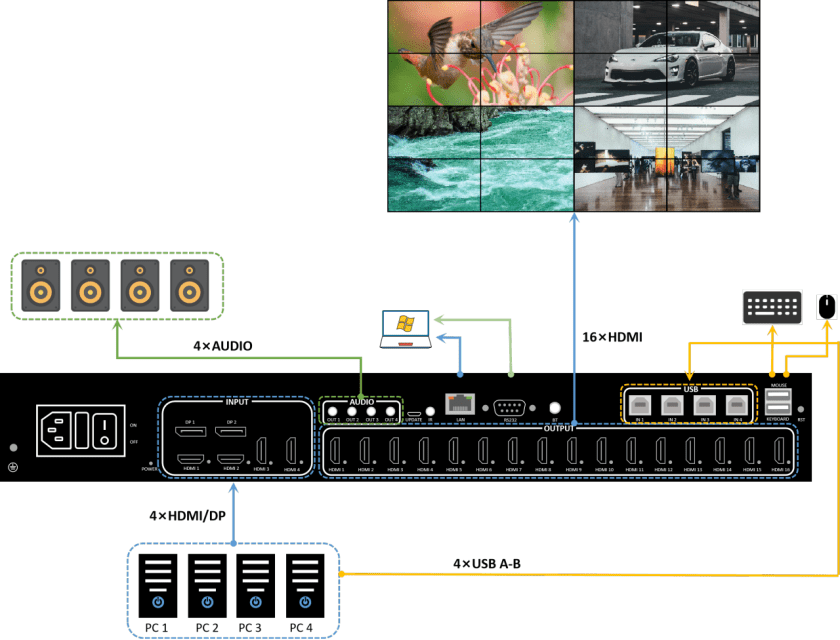
- Support 4-way 4K60 input, 2 of which are HDMI or DP bi-optional input, and 16-way 1080P output to ensure the image is delicate and clear;
- Support 16 screens horizontal and vertical splicing, using advanced image processing technology, to ensure that the image quality is not affected by the high resolution and multi-window display, reduce delay and distortion.
- Support 4-screen simultaneous display, 4 windows of any position size, any superimposed roaming. Can create a flexible splicing layout on multiple monitors or screens, and free roaming between windows, providing more flexible and dynamic display solutions;
- Support seamless switching of input signals without brushing black;
- Support window transparency adjustment, layer switching, and hiding and masking;
- Supporting screen mirroring and whole screen freezing;
- Support HDMI audio with out, as well as 4-way 3.5mm audio separation;
- Support remote control, Pushbutton, RS232, host computer control, as well as keyboard shortcuts for quick operation;
- Supports simultaneous control of 4 computers through 1 set of keyboard and mouse;
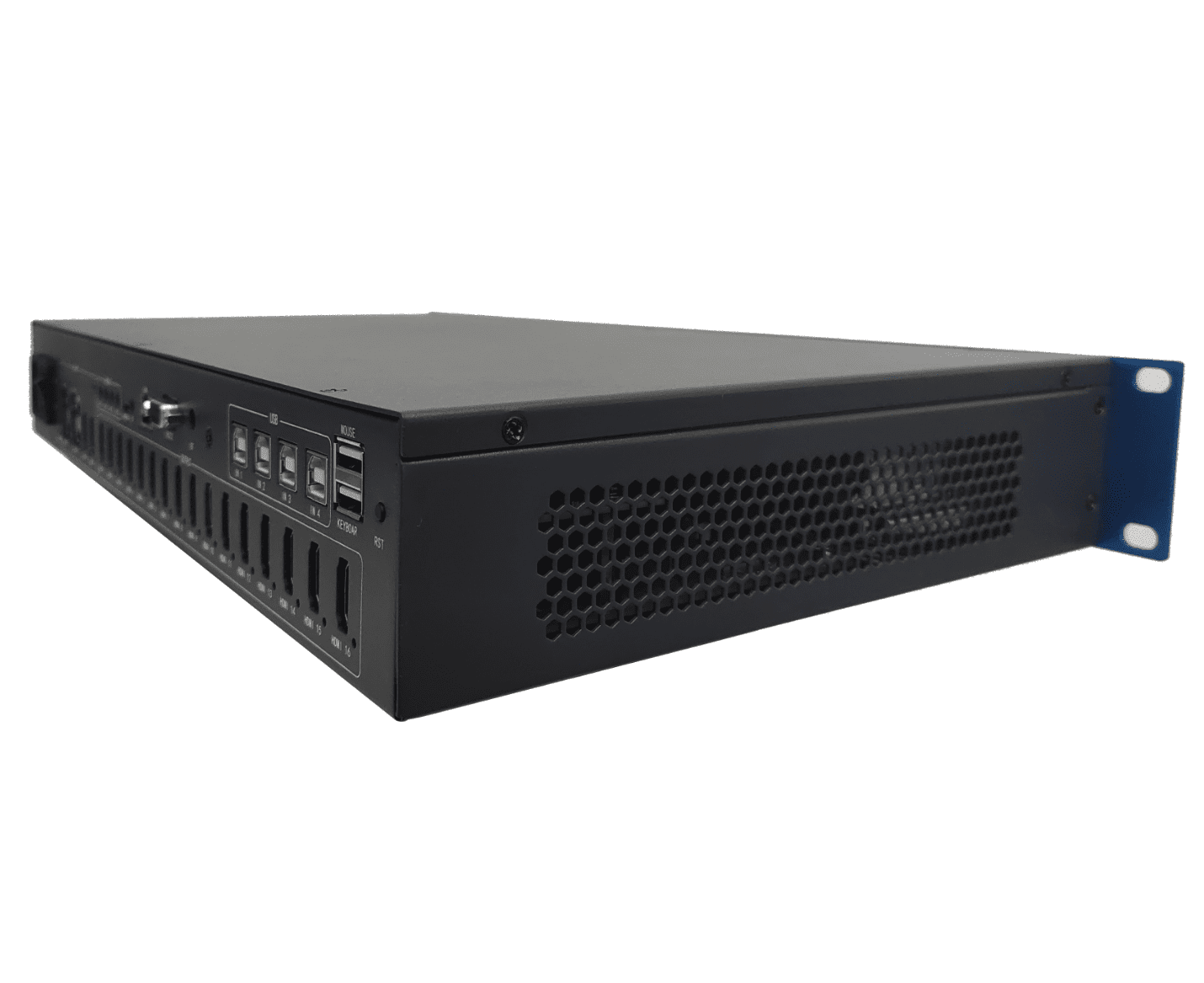
- Support power-down memory, hot plug, internal heat dissipation, high stability, to ensure stability and reliability in the long run, to ensure that the device’s long-lasting use
Specification:
| Input Interface | 4xHDMI 2.0、2xDP 1.2 |
| Input Maximum Pixel Clock Frequency | 600MHz |
| Input Resolution | 1280x768P60、1280x800P60、1280x1024P60、1360x768P60、1440x900P60、1920x1080P60、3840x2160P60、4096x2160P60. |
| Color depth | 8bit |
| Color Format | RGB444、YUV444、YUV422、YUV420 |
| Output Interface | 16xHDMI 1.4 |
| Output Maximum Pixel Clock Frequency | 148.5MHz |
| Output Resolution | 1920x1080P60 |
| Control Method | Remote control, Pushbutton, RS232, Windows host computer |
| Audio | HDMI Audio Follow-On, 3.5MM Audio Separation |
| Power supply | 220V |
| Power Consumption | 50W |
| Storage/Operating Temperature | -10~50ºC/0~50ºC |
| Product Dimensions | 482.6mm x 250mm x 59mm |
| Product Weight | 2KG |
| Packaging Dimensions | 545mm x 465mm x 120mm |
| Package Weight | 3KG |
| Accessory List | 1 x 220V Power cable 1 x HDMI cable or DP cable 1 x blue network cable 1 x IR infrared head 1 x remote control |
| After-sales service | 3 years |
Interface

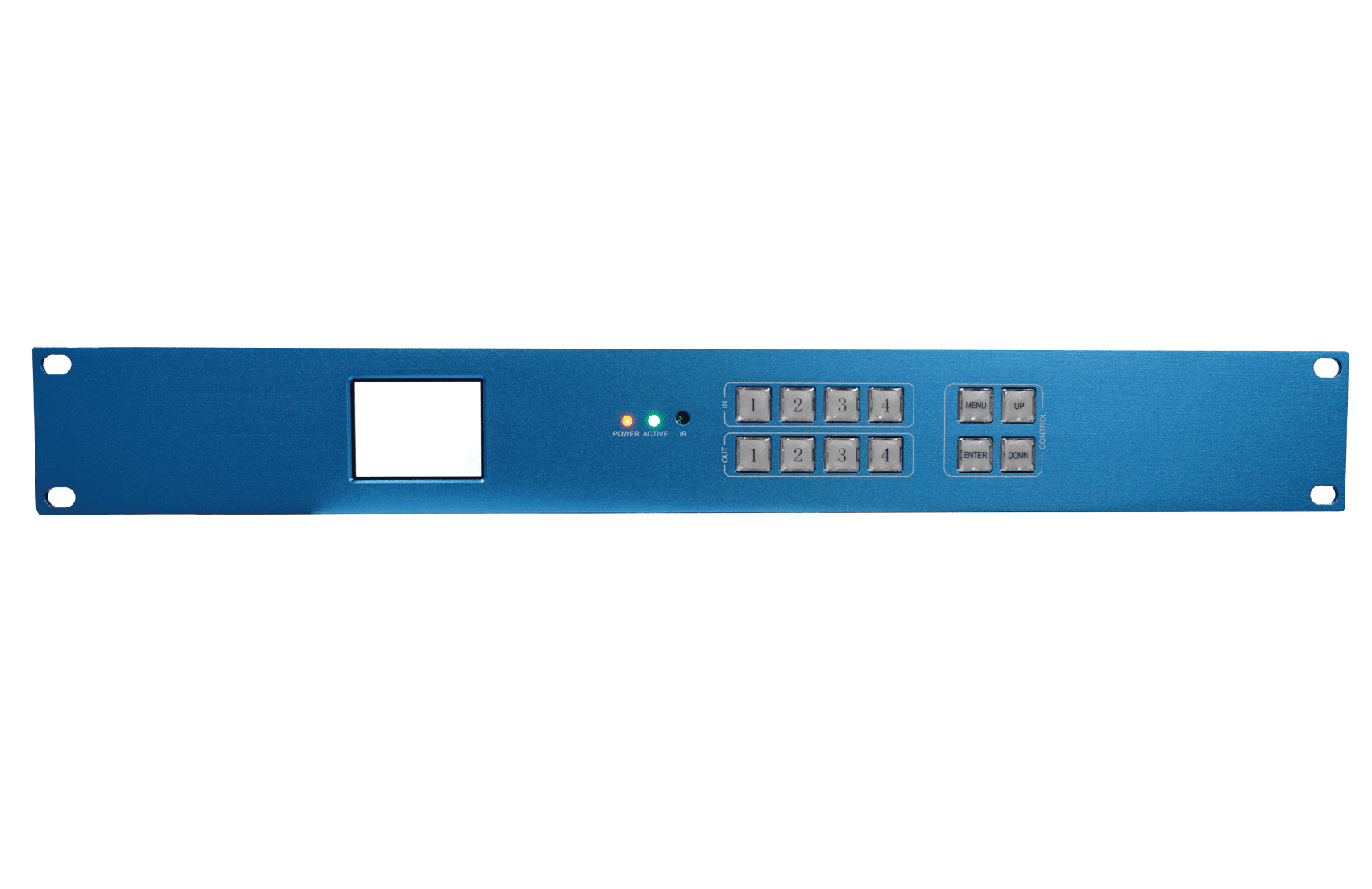
| Serial No. | Type | Description |
| 1 | LCD | LCD panel, view the menu information, see the OSD description |
| 2 | Indicator | Power indicator light, showing red constant light, normal power-up |
| 3 | Indicator Lamp | Activity indicator, showing green color, normal operation |
| 4 | Infrared | Built-in infrared head, receive remote control signals |
| 5 | Pushbutton | Input signal selection, 1/2/3/4 corresponds to IN1/IN2/IN3/IN4 respectively. |
| 6 | Pushbutton | Output window selection, 1/2/3/4 corresponds to WIN1/WIN2/WIN3/WIN4, respectively. |
| 7 | Pushbutton | Menu key, press to call out the main menu or return to the previous menu |
| 8 | Pushbutton | Confirm key, press to confirm |
| 9 | Pushbutton | Up key, press Up |
| 10 | Pushbutton | Down key, press Down |

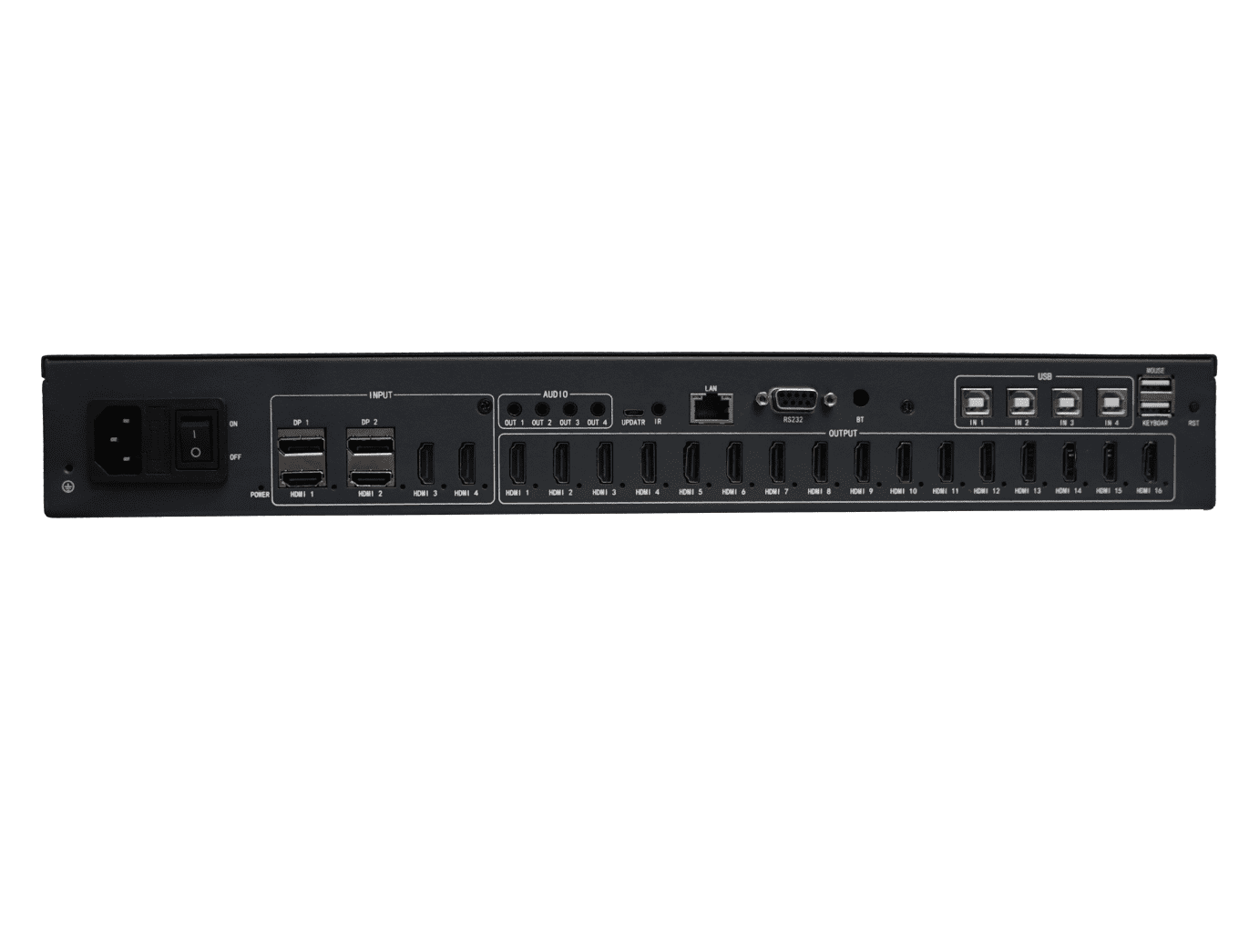
| Serial No. | Type | Description |
| 1 | Ground Hole | Connection of the grounding system by means of a conductor |
| 2 | Switch | Three-in-one switch |
| 3 | Indicator light | Power indicator light, power on and turn on the switch, the display is red and always on |
| 4 | Input Connector | Input signal 1, HDMI 2.0 and DP 1.2 two optional inputs |
| 5 | Input Connector | Input Signal 2, HDMI 2.0 and DP 1.2 Either Way Input |
| 6 | Input Connector | Input signal 3, HDMI 2.0 interface |
| 7 | Input Connector | Input signal 4, HDMI 2.0 connector |
| 8 | Output Connector | Output signals, 16 x HDMI 1.3 connectors |
| 9 | 3.5MM Socket | Audio Separation, 4-way audio output |
| 10 | USB Connector | Not yet open, no role |
| 11 | 3.5MM Socket | Infrared receiving socket, connect the infrared receiving head |
| 12 | Network Port Holder | Connect the computer with a network cable to realize the communication for control |
| 13 | RS232 | RS232 interface |
| 14 | Bluetooth | Realize Bluetooth control |
| 15 | USB Port | USB-B input port, connect to computer |
| 16 | USB Port | USB-A output port for connecting keyboard and mouse |
| 17 | Pushbutton | Reset button for KVM reset operation |
Remote controller

| Remote control keys | Function | |
| 1×1 | 1×1 mode | |
| Row+ | Row plus 1, max. 6 | |
| Col+ | Column plus 1, max. 6 | |
| 1Win | Switch to single display mode in split mode | |
| 2Win | Two-window mode rotation in split mode: up/down mode → left/right mode | |
| 4Win | Quad split mode rotation in split mode. | |
| Menu/OK | Field grid mode –> one big and three small left and right mode –> one big and three small up and down mode | |
| Exit | Open the menu and use it as OK when navigating the menu. | |
| ↑ | Close OSD | |
| ← | Control selection upward in OSD | |
| ↓ | Control the selection to move left in the OSD | |
| → | Control selection downward in OSD | |
| CH1 | Move the selection to the right in the OSD | |
| CH2 | Input source switching in window 1 | |
| CH3 | Input source switching in window 2 | |
| CH4 | Input source switching in window 3 | |
| Freeze | Input source switching for window 4 | |
| Audio | Freeze mode on off | |
| Mirror | Audio control buttons | |


