

Description:
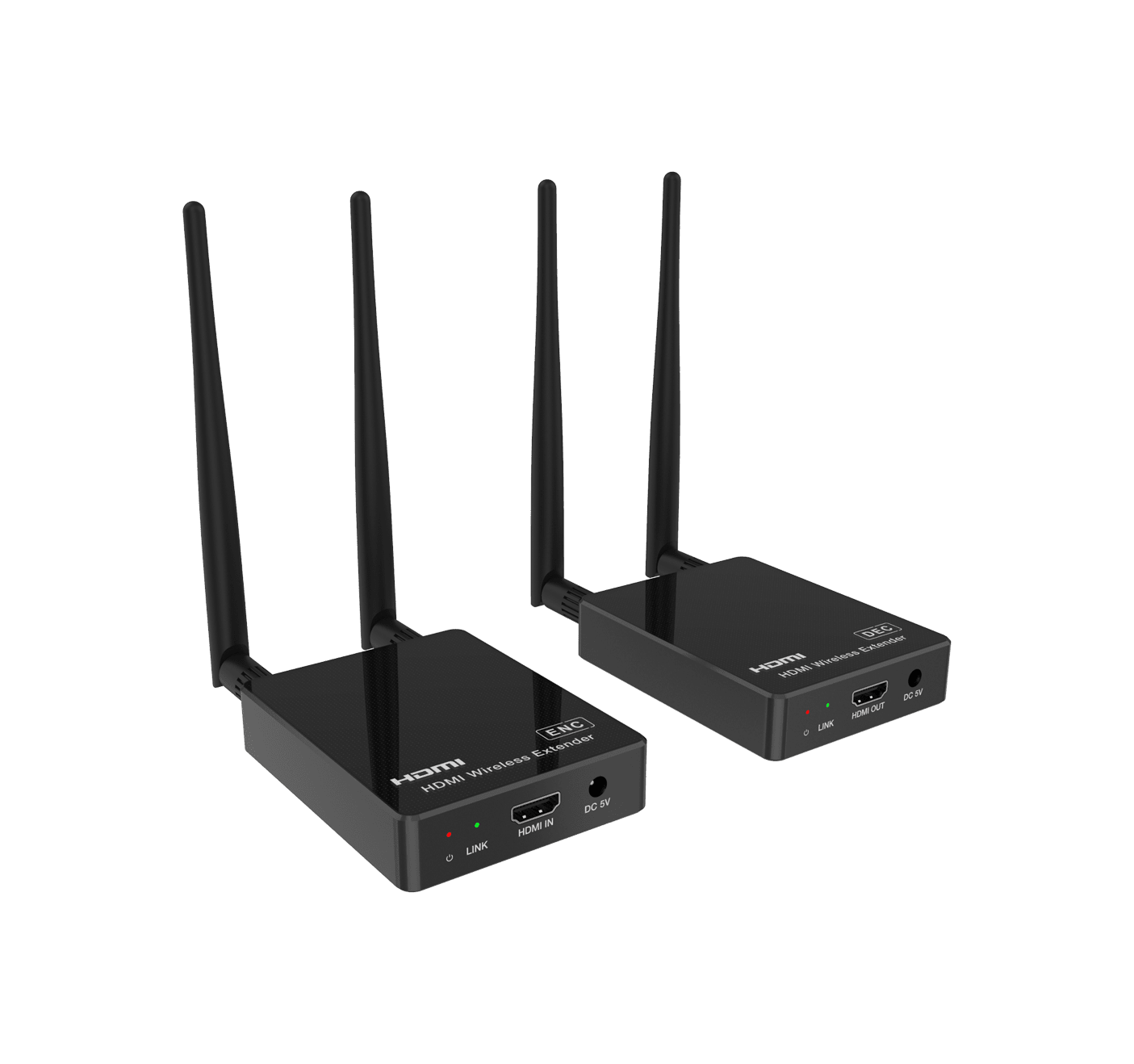
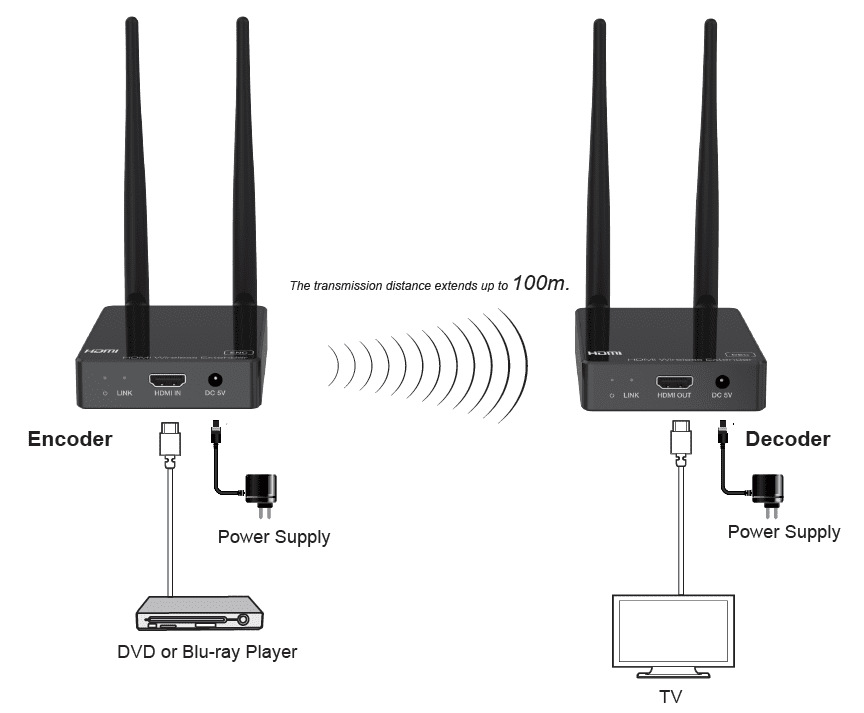
This product is based on H.265 standard solution for transmitting one HD source signal to one HD display. It extends distance up to 330ft/100 meters (In an open environment without Wi-Fi interference) between the encoder and decoder via wireless transmission. It supports one-way IR control. It offers high quality configurable and low-bandwidth H.265 compression video. Input video resolution is up to 1920×1080@60Hz; Output video resolution is up to1080P@60Hz. This wireless extender is designed special to transmit high definition video & audio within one environment.
FEATURES:
☆ HDMI 1.3, HDCP 1.4 and DVI 1.0 compliant
☆ Transmit one HDMI HD source signal to one HDMI HD display via wireless technology
☆ With one-way IR control
☆ Input video resolution is up to 1920×1080@60Hz YCbCr 4:4:4; Output video resolution is up to 1080P@60Hz YCbCr 4:4:4
☆ HDMI wireless transmission distance up to 330ft/100m. (In an open environment without Wi-Fi interference.)
☆ Supported HDMI audio formats:
Input: LPCM 2.0CH 32KHz/44.1KHz/48KHz/88.2KHz/96KHz/176.4KHz/192KHz
Output: LPCM 2.0CH 48KHz
☆ Adopt H.265 high performance codec technology
☆ End-to-end delay is less than 120Ms
☆ Compact design for easy and flexible installation.
Packing list
| Qty | Item |
| 1 | HDMI Wireless Extender (Encoder) |
| 1 | HDMI Wireless Extender (Decoder) |
| 1 | IR Blaster cable (1.5 meters) |
| 1 | 20~60KHz IR Receiver cable (1.5 meters) |
| 4 | 5G WiFi Antenna |
| 2 | 5V/2A Multi-country Power Supply |
| 1 | User Manual |
IR Cable Diagram

| Technical | |||
| HDMI Compliance | HDMI 1.3 | ||
| USB Version | HDCP 1.4 | ||
| Video Bandwidth | 4.95Gbps | ||
| Video Resolution | Input: Up to 1920×1080@60Hz Output: Up to 1080P@60Hz | ||
| Color Space | RGB, YCbCr 4:4:4 / 4:2:2 | ||
| Color Depth | 8/10/12-bit (1080P@60Hz) | ||
| HDMI Audio Formats | Input: LPCM 2.0CH 32KHz/44.1KHz/48KHz/ 88.2KHz/96KHz/176.4KHz/192KHz Output: LPCM 2.0CH 48KHz | ||
| ESD Protection | Human body model — ±8kV (Air-gap discharge) &±4kV (Contact discharge) | ||
| Connections | |||
| Encoder | Inputs: 1x HDMI IN [Type A, 19-pin female] Outputs: 1x IR OUT [3.5mm Stereo Mini-jack] 2x WiFi OUT [WiFi antenna] Control: 1x SERVICE [Micro USB, Update port] | ||
| Decoder | Inputs: 1x IR IN [3.5mm Stereo Mini-jack] 2x WiFi IN [WiFi antenna] Outputs: 1x HDMI OUT [Type A, 19-pin female] Control: 1x SERVICE [Micro USB, Update port] | ||
| Mechanical | |||
| Housing | Plastic Enclosure | ||
| Color | Black | ||
| Dimensions | Encoder / Decoder: 76mm [W] x 98mm [D] x 21mm [H] | ||
| Weight | Encoder / Decoder: 100g | ||
| Power Supply | Input: AC100 – 240V 50/60Hz Output: DC 5V/2A | ||
| Power Consumption | Encoder: 3.5W, Decoder: 2.6W (Max) | ||
| Operation Temperature | 32 – 104°F / 0 – 40°C | ||
| Storage temperature | -4°F – 140°F / -20°C – 60°C | ||
| Relative Humidity |  20 – 90% RH (no condensation) 20 – 90% RH (no condensation) | ||
| Resolution / Cable Length | 1080P60Hz – Feet / Meters | ||
| HDMI IN / OUT | 42ft / 15M | ||
| The use of “Premium High Speed HDMI” cable is highly recommended. | |||
Pairing Instruction
Connect the encoder and decoder with an HDMI cable. Power on the decoder firstly, then power on the encoder after the power LED and LINK LED of the decoder are always on. After successful pairing, the LINK LED of the decoder will flash. If the LINK LED of encoder is always on, it indicates that the encoder and decoder has not been connected or paired. When there is video signal transmission, the LINK LED of decoder will flash; When there is no video signal transmission, the LINK LED of decoder will be always on.
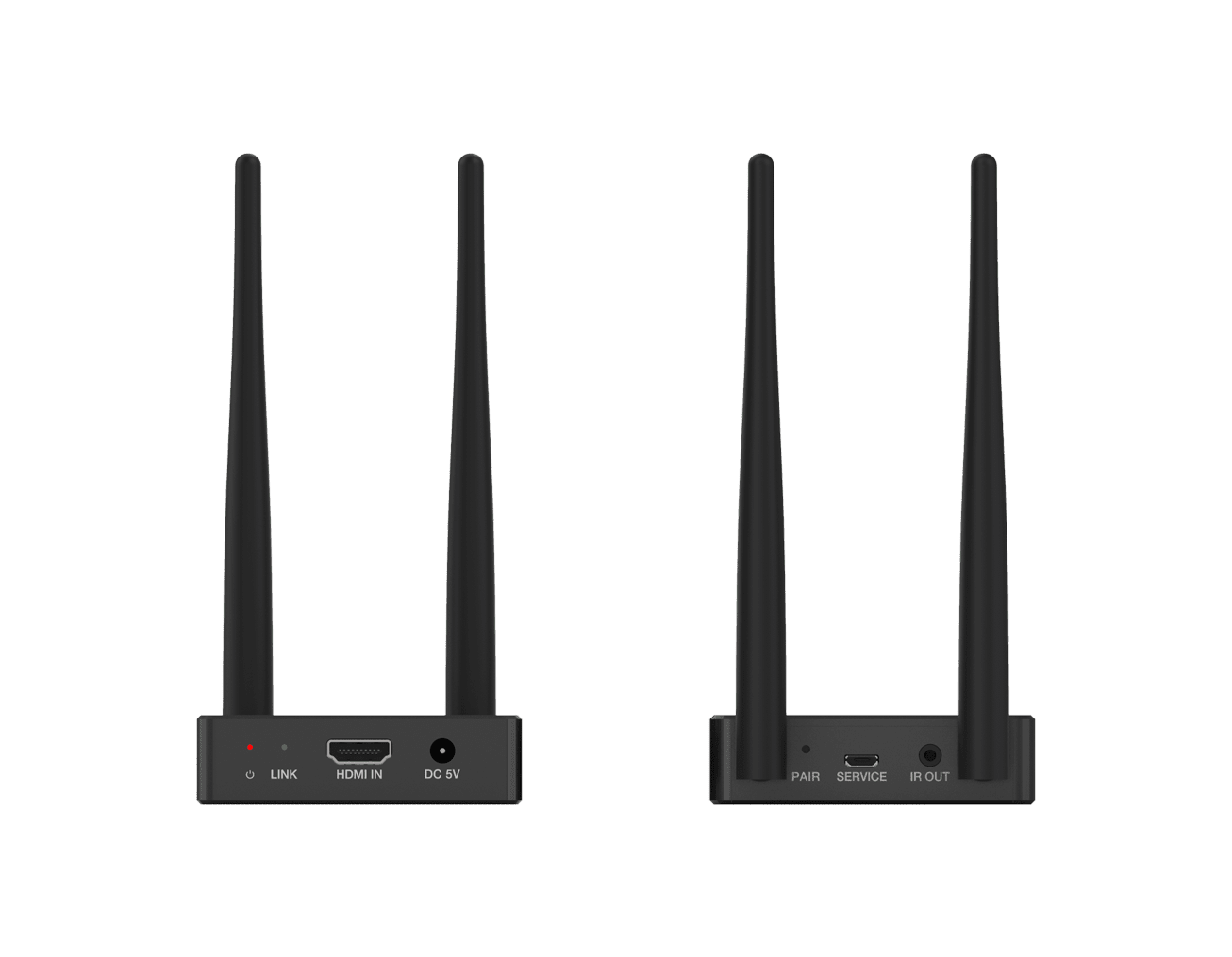
Encoder Interface

| No. | Name | Function Description |
| 1 | Power LED | The LED will illuminate red when the encoder is powered on. |
| 2 | LINK LED(Green) | The LINK LED flashing means that the encoder and decoder are paired successfully. (Please refer to “5.3 Pairing Instruction” for details) |
| 3 | HDMI IN | HDMI source input port for connecting the HDMI source device. |
| 4 | DC 5V | Connect the DC 5V/2A power adapter. |
| 5 | PAIR button | Press and hold the PAIR button, then power on the encoder, the device will enter the upgrade mode. |
| 6 | SERVICE port | Firmware update port. |
| 7 | IR OUT | Connect the IR blaster cable. The IR blaster signal is from the IR IN port on the Decoder. |
| 8 | Antenna port | Connect the WiFi antenna. |
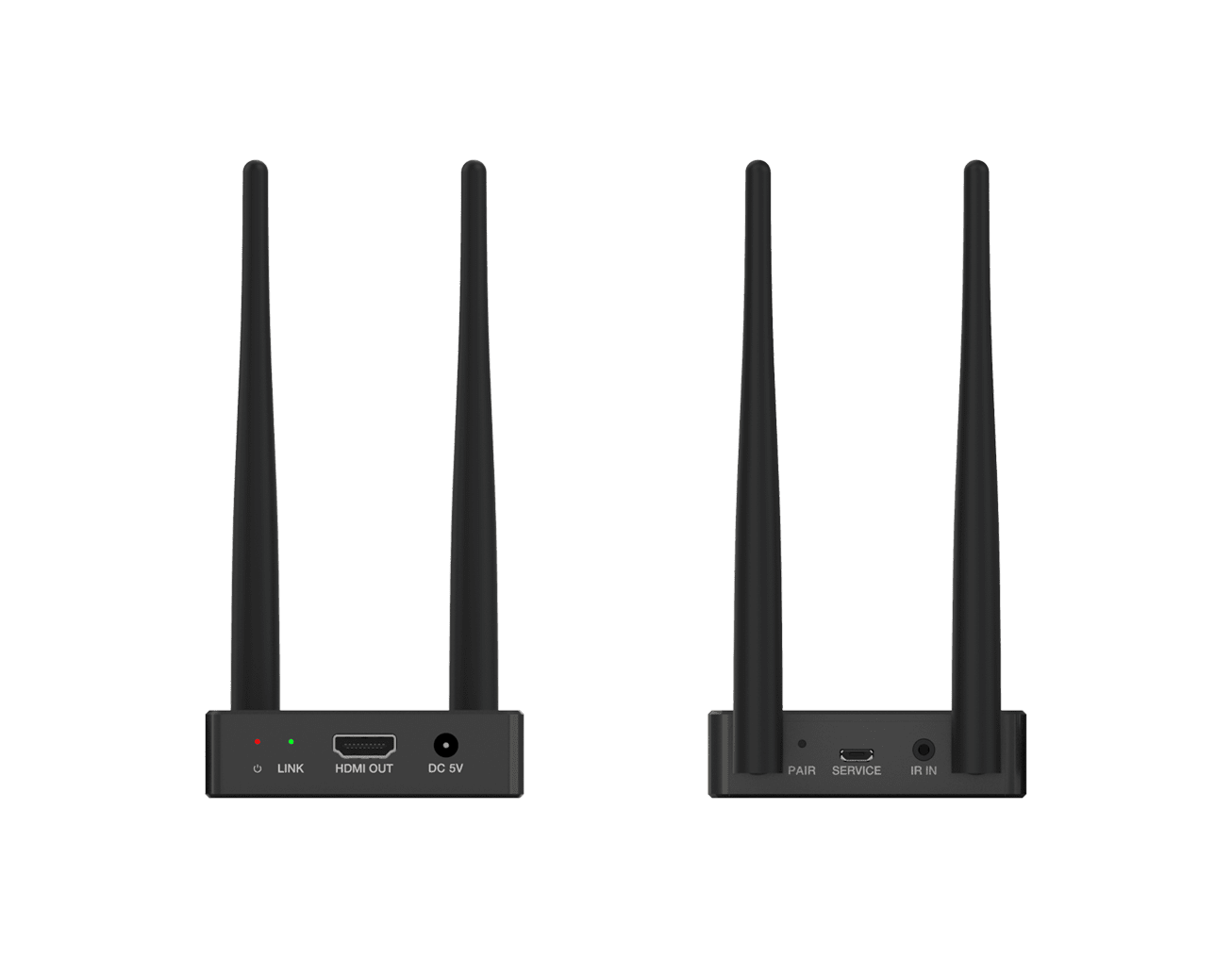
Decoder Interface

| No. | Name | Function Description |
| 1 | Power LED | The LED will illuminate red when the decoder is powered on. |
| 2 | LINK LED(Green) | The LINK LED flashing means that the encoder and decoder are transmitting video signals. (Please refer to “5.3 Pairing Instruction” for details) |
| 3 | HDMI OUT | HDMI output port for connecting the HDMI display device. |
| 4 | DC 5V | Connect the DC 5V/1A power adapter. |
| 5 | PAIR button | Press and hold the PAIR button, then power on the decoder, the device will enter the upgrade mode. |
| 6 | SERVICE port | Firmware update port. |
| 7 | IR IN | Connect the IR receiver cable. The IR signal is sent to the IR OUT port on the encoder. |
| 8 | Antenna port | Connect the WiFi antenna. |


