
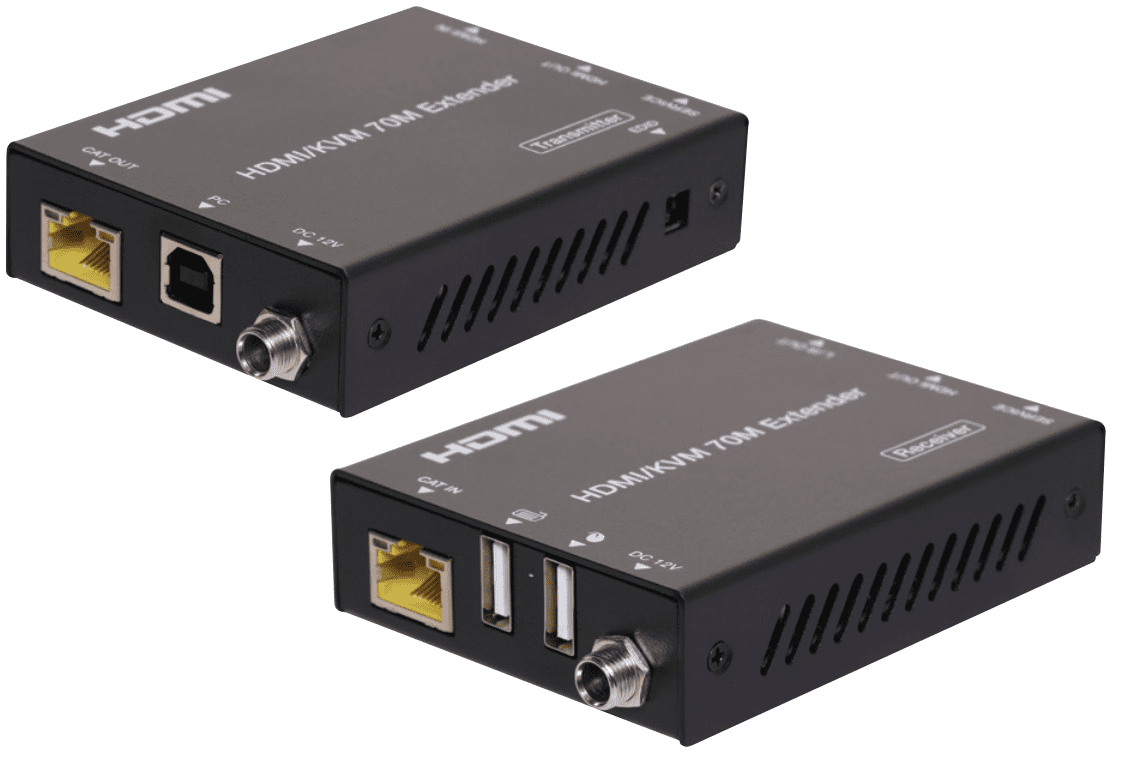
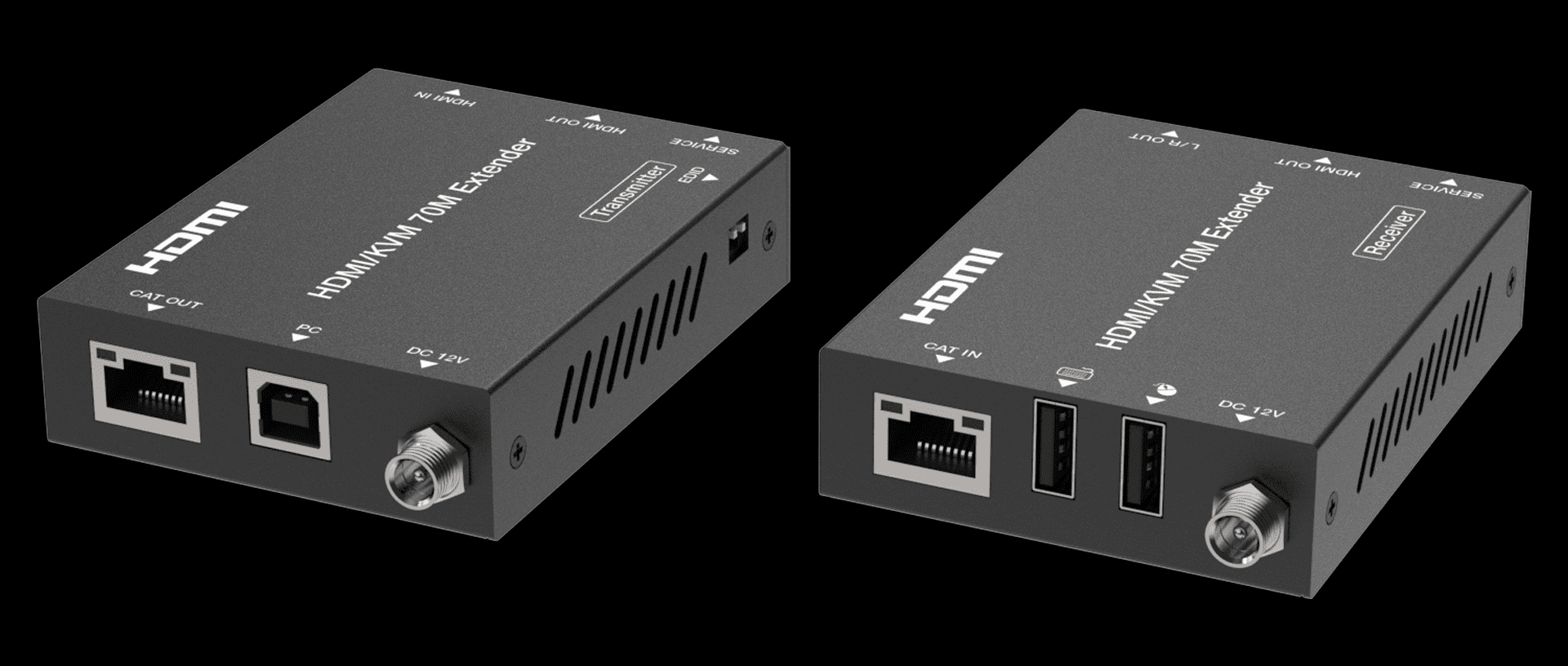
Overview
This 18Gbps HDMI Extender can extend HDMI HD signal to a distance up to 230ft / 70m via a single CAT6/6a cable, which can achieve zero-delay, uncompressed long-distance transmission between the transmitter and receiver.
Video resolution is up to 4K2K@60Hz. The Extender supports KVM signal pass-through, which can remote control source device at display device. It supports EDID copy pass-through function between the source device and display device.
It supports POC function.This Extender can be widely used in multi-media conference halls, TV teaching and large-screen displays.
Features:
☆ HDMI2.0b and HDCP 2.2 compliant
☆ Support 18Gbps video bandwidth
☆ Support video resolution up to 4K2K@60Hz RGB/YCBCR 4:4:4
☆ The transmission distance can be extended up to 230ft / 70m via a single CAT6/6a cable
☆ Support HDR, HDR10, HDR10+, Dolby Vision, HLG
☆ Audio formats: LPCM 2.0/2.1/5.1/6.1/7.1, Dolby Digital, Dolby TrueHD, Dolby Digital Plus(DD+)
☆ Support 3.5mm analog audio de-embedding, audio is output through the L/R OUT port of the receiver
☆ EDID copy pass-through function between the source device and display device
☆ Support bi-directional POC (Power over Cable) function
☆ With USB KVM pass-through function, USB1.1 compliant, support remote-control by keyboard and mouse
☆ Compact design for easy and flexible installation
Specifications
| Specifications | Technical | |||
| HDMI Compliance | HDMI 2.0b | |||
| HDCP Compliance | HDCP 2.2 | |||
| Video Bandwidth | 18Gbps | |||
| Video Resolution | Up to 4K2K@60Hz RGB/YCBCR 4:4:4 | |||
| Transmission Distance | 4K2K@60Hz 4:4:4–70m, 1080P–70m (CAT6 cable) | |||
| Color Space | RGB 4:4:4, YCbCr 4:4:4, YCbCr 4:2:2, YCbCr 4:2:0 | |||
| Color Depth | 8/10/12bit | |||
| HDR | HDR, HDR10, HDR10+, Dolby Vision, HLG | |||
| Audio Formats | LPCM 2.0/2.1/5.1/6.1/7.1, Dolby Digital, Dolby TrueHD, Dolby Digital Plus(DD+) | |||
| ESD Protection | Human body model — ±8kV (Air-gap discharge) &±4kV (Contact discharge) | |||
| Connections | ||||
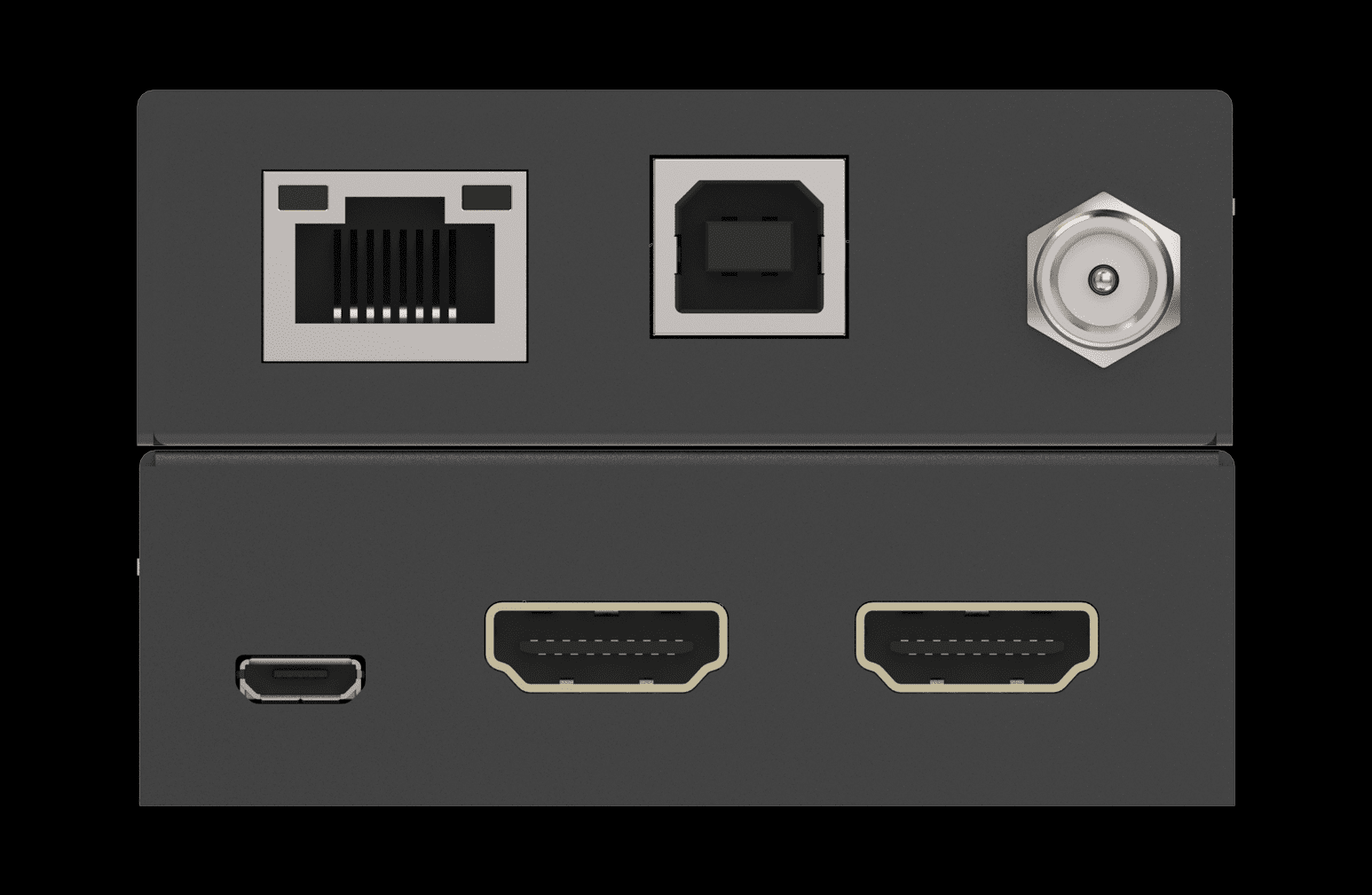
| Transmitter | Input: 1x HDMI IN [TypeA, 19-pin female] Output: 1x HDMI OUT [TypeA, 19-pin female] 1x CAT OUT [RJ45] Control: 1x SERVICE [Micro-USB jack] 1x USB port [Type-B jack] | |||
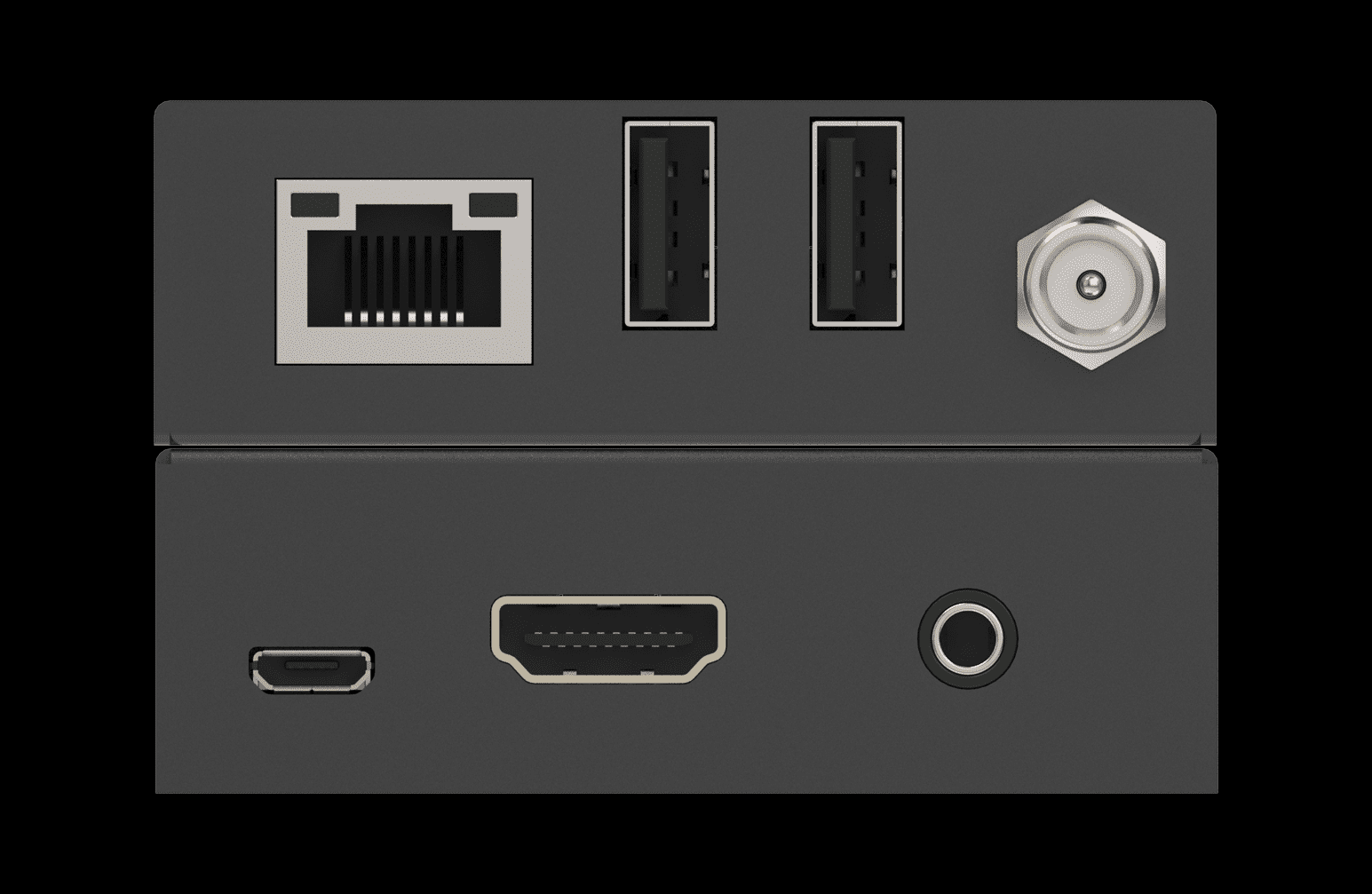
| Receiver | Input: 1x CAT IN [RJ45] Output: 1x HDMI OUT [TypeA, 19-pin female] 1x L/R OUT [3.5mm Stereo Mini-jack] Control: 1x SERVICE [Micro-USB jack] 2x USB port [Type-A jack] | |||
| Mechanical | ||||
| Housing | Metal Enclosure | |||
| Color | Black | |||
| Dimensions | Transmitter / Receiver: 90mm (W)×68mm (D)×22mm (H) | |||
| Weight | Transmitter: 170g, Receiver: 169g | |||
| Power Supply | DC 12V/1A; Support bi-directional POC function | |||
| Power Consumption | 4.2 W (max) | |||
| Operation Temperature | 32°F – 104°F / 0°C – 40°C | |||
| Storage temperature | -4°F – 140°F / -20°C – 60°C | |||
| Relative Humidity |  20 – 90% RH (no condensation) 20 – 90% RH (no condensation) | |||

Below is the suggestion when you run into some issues when using HDMI extenders
This guide will walk you through steps to address common issues with your HDMI over an ethernet extender. If problems persist or you require additional assistance, please reach out to technical support.
If you have set up everything but are not getting an image, ensure that your configuration is correct. In your setup, you will likely have a transmitter, receiver, source, and display.
Transmitter: Connect the source to the HDMI IN port on the transmitter. Then, use an Ethernet cable to link the transmitter to the receiver. Ensure that the device is powered using the provided power cable.
Receiver: Connect the display via HDMI out on the receiver. Make sure the device is powered with the included power cable if required.
Once you’ve verified that your setup is correct, and you’re still not seeing an image on the display, inspect the Ethernet ports for the following:

The green LED bulb should have a steady green light, indicating a good connection. If it’s flashing, this signals a poor connection. If it’s dark, it means there’s no connection or insufficient power.
The yellow LED bulb should display a solid or flashing yellow light. A solid yellow indicates a good HDMI connection with HDCP, while a flashing yellow indicates a good HDMI connection without HDCP. If it’s dark, there’s no signal from the HDMI.
- If neither light is illuminated, double-check your power and Ethernet cables.
- If you observe a solid green light but no yellow light, inspect your HDMI cable and source.
If you have proper power and an HDMI connection but face image issues, verify that resolutions are compatible among the source, extender, and display. You’ll need information on the supported resolutions for each device.
If you’ve completed basic troubleshooting and still encounter issues, please contact 1@sz-sinowell.com


